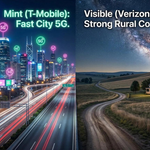
Choosing a mobile carrier is easy when you consider coverage maps and flashy advertisements. The true test comes when you use your phone inside a building, on an unfamiliar road, at a sporting event, or outside a major city.
Verizon has built its reputation around dependable cellular connections and broad 4G LTE coverage, with faster 5G Ultra Wideband service available in select areas. However, a strong national network does not guarantee reliable reception at every home or workplace.
The most important question is not simply whether your phone will have a connection, but whether your chosen carrier will provide reliable service in the places you need it most.
Where Verizon’s Network Excels
1. Wide 4G LTE Coverage
Although many modern phones support 5G, 4G LTE remains useful for everyday activities such as phone calls, text messaging, navigation, social media, and video conferencing, provided the signal is strong enough.
This matters for people who regularly travel between cities, drive on rural roads, or visit family in suburban areas. Your device does not always need a 5G connection to remain useful; it needs a dependable connection where you use it.
However, LTE coverage is not universal. Remote locations, mountainous regions, and some rural communities may experience weak signals or no service because of their distance from cell sites or the surrounding terrain.
Before choosing Verizon, use its official coverage map to check your home, workplace, commute, and other locations you visit frequently.
2. 5G Ultra Wideband in Select Areas
Verizon’s 5G Ultra Wideband service offers higher-performance connectivity in supported locations. Depending on the network, device, plan, and local conditions, it can deliver faster download speeds than LTE or standard 5G service.
These speeds can be useful when downloading large files, streaming videos, uploading media, or using your phone as a mobile hotspot.
Availability is the main limitation. A neighborhood may have 5G coverage without having Ultra Wideband service at every address. Compatible hardware is also necessary. Verizon’s Ultra Wideband network includes C-band and millimeter-wave technologies, so the supported network bands vary by device.
Check your phone’s specifications before assuming that its 5G capability includes access to every type of Verizon 5G service.
3. Useful Connectivity for Commuting and Travel
For commuters and frequent travelers, a consistent connection can be more valuable than the highest possible download speed.
Reliable mobile service helps with navigation, rideshare bookings, hotel reservations, and checking messages while moving between destinations. Verizon’s LTE and 5G networks can support these activities wherever coverage and network capacity are sufficient.
However, this does not guarantee reliable service on every road. Rural highways, mountainous terrain, and areas with limited cell-site coverage can still have weak signals or interruptions.
If you travel frequently, check the routes you actually use rather than relying only on the coverage around your starting point and destination.
Where Verizon Has Issues
1. Rural Areas and Roads
A carrier’s coverage map may look impressive, but what matters most is whether your phone receives a usable signal in the places you visit.
Rural communities and less-traveled roads can have weaker coverage than populated centers. Service may also change significantly within the same region: a phone might work well near a town center but struggle several miles away.
If you plan to live in or travel through rural areas, check Verizon’s coverage map and ask local residents about their experiences. Testing the network in person, where possible, can provide a more realistic picture than relying on a map alone.
2. Poor Reception Indoors
A phone may receive a strong signal outdoors but struggle inside a home, office, warehouse, or apartment building.
Building materials, nearby cell sites, and the phone’s location can all affect reception. Concrete walls, metal structures, energy-efficient windows, and basements can make cellular signals harder to receive.
If you’re experiencing poor indoor reception, compare your phone’s performance in different locations:
- Near a window versus in the center of a room.
- On an upper floor versus in a basement.
- During busy periods versus quieter hours.
- On Wi-Fi versus on the cellular network.
Wi-Fi calling can be a useful alternative when indoor cellular reception is weak, provided your phone, plan, and internet connection support it. However, Wi-Fi calling does not improve cellular reception when you are away from a Wi-Fi network.
If indoor reception remains poor, test another compatible phone or compare the performance of other carriers before deciding whether to switch.
3. Network Congestion
A strong signal does not always mean a fast connection. At concerts, sporting events, crowded public spaces, and busy transport hubs, many people may be using the network simultaneously.
This can result in slow uploads, delayed messages, sluggish social media apps, and buffering videos. Network performance can also change throughout the day as demand increases or decreases.
If you want to assess Verizon’s performance accurately, test your connection at the locations and times when you normally use your phone. A speed test taken during a quiet morning may not reflect the experience at a crowded event or during the evening commute.
4. Disappointing 5G Speeds
A 5G icon does not automatically mean your phone will be faster than it would be on LTE. Performance depends on the type of 5G available, signal quality, network congestion, device compatibility, and local conditions.
Verizon’s Ultra Wideband service can deliver higher speeds in supported locations, but performance may vary from one street to another. Distance from a cell site, obstacles, and network demand can all affect the connection.
If your phone is unusually slow, test it in different locations and at different times of day. Switching airplane mode on and off may help your phone reconnect to the network, while installing software and carrier settings updates can address certain device-related issues. Neither step, however, can resolve a persistent coverage gap.
How to Test Verizon’s Coverage Before Switching
Instead of relying on a general coverage map, make a list of the places you visit regularly and check them against Verizon’s coverage information.
Start with these five areas:
- Home: Check the rooms where you spend the most time, not just the street outside.
- Workplace or school: Consider indoor reception as well as coverage around the building.
- Your commute: Check the roads or public transportation routes you use most often.
- Regular destinations: Include family homes, stores, and other places you visit frequently.
- Travel routes: Check highways, rural stops, and destinations you visit on long road trips.
Use the Verizon coverage map as a starting point, then consult the FCC National Broadband Map to compare reported mobile coverage from different providers.
The FCC map is based on provider-submitted coverage information and modeling, so it should not be treated as a guarantee of service at a specific address. Indoor reception and actual network performance can differ from what a map suggests.
If possible, test Verizon with a compatible phone before transferring your primary number. Pay attention to call quality, data speeds, and connection stability in the locations that matter most to you.
What to Do If Verizon Has Poor Reception
If your connection is unreliable, start by determining whether the problem is local or affects your phone more broadly.
Try these troubleshooting steps:
- Test another location. If the problem disappears elsewhere, local coverage or congestion may be responsible.
- Update your phone. Install available software and carrier settings updates, and check that your device supports the network bands used in your area.
- Compare Wi-Fi and cellular performance. This can help distinguish a mobile-network problem from an issue with an app or internet connection.
- Test at different times. If the connection slows down mainly during busy periods, network congestion may be a factor.
- Review your plan. Check for applicable data limits, hotspot restrictions, or other plan conditions.
- Contact Verizon. Explain where and when the issue occurs, and describe whether you’re experiencing dropped calls, slow data, or complete loss of service.
Poor reception and slow data speeds can have different causes, so identifying the pattern is important before investing in additional equipment.
Avoid purchasing a signal booster without first confirming that it is suitable for your situation. Boosters have compatibility and installation requirements, and they cannot guarantee reliable service where there is no usable signal to amplify.
Accessories for People Who Depend on Their Phones
Coverage problems are not the only concern when you’re traveling or relying on your phone throughout the day. Navigation, video calls, hotspot use, and repeated attempts to reconnect can drain the battery.
A portable power bank can keep your phone charged during long drives, airport delays, and days spent away from a power outlet. It will not improve cellular reception, but it can help prevent a low battery from interrupting your plans.
Browse portable power banks on Amazon.com
Choose a battery with sufficient capacity for your phone and daily routine. If you’re traveling by air, check the current TSA and airline requirements for carrying power banks, including any capacity restrictions.
Is Verizon the Right Carrier for You?
Verizon may be a good option if its network performs well in your daily locations, you frequently travel along routes with reliable LTE coverage, or you can take advantage of 5G Ultra Wideband in the areas where you use mobile data.
However, another carrier may be a better fit if you regularly experience weak indoor reception, depend on reliable service in a particular rural area, or encounter persistent congestion at work or along your commute. A smaller-looking coverage map does not necessarily mean a carrier will perform worse at your specific locations.
The most important factor when selecting a carrier is local performance, not just nationwide coverage. Check the places you visit regularly and, where possible, test the network before switching.
Ultimately, Verizon offers a combination of broad LTE coverage and higher-performance 5G in supported areas, but it can still experience rural coverage gaps, indoor reception problems, and network congestion. The best carrier for you is the one that provides dependable service where you live, work, and travel.
Amazon Affiliate Disclosure: As an Amazon Associate, I earn from qualifying purchases. If you click on an Amazon.com link in this article and make a purchase, I may earn a commission at no additional cost to you.