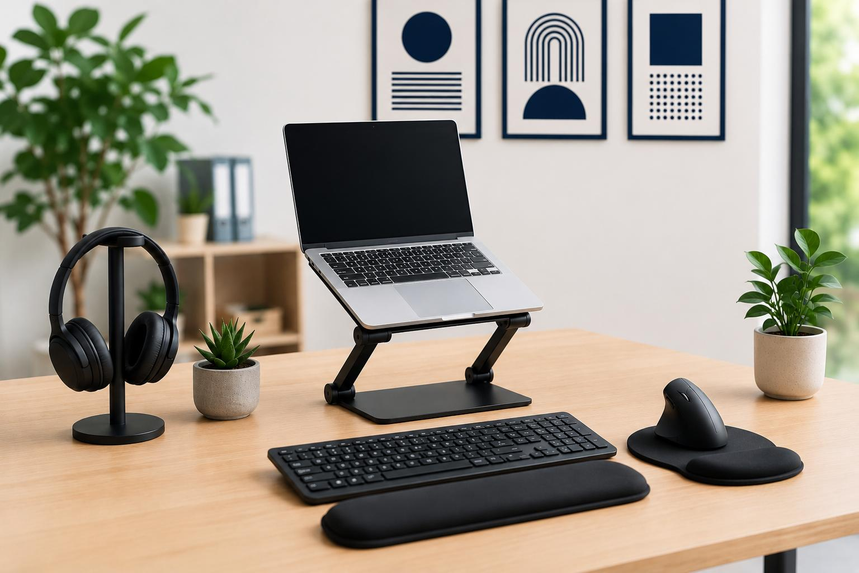
Working from a laptop is convenient, but staying comfortable throughout the workday can be challenging. A smaller screen, cramped keyboard, limited ports, and poor lighting can make everyday tasks more difficult, especially when your dining table, spare bedroom, or living room doubles as your workspace.
You don’t necessarily need a new desk or computer to solve these problems. The right accessories can improve your workspace, make everyday tasks more convenient, and help you get more out of your existing laptop.
Here are the home office accessories worth considering if your laptop is your primary work computer.
1. Laptop Stand for Better Screen Positioning
Keeping your laptop flat on a desk can encourage you to lean forward and look down at the screen. Over time, this position may become uncomfortable, particularly if you spend hours writing, answering emails, or working with spreadsheets.
A laptop stand raises the screen closer to eye level, making it easier to maintain a comfortable working position. Some models also fold flat, making them convenient for people who occasionally move their workspace between rooms.
When shopping for a laptop stand, consider its height adjustment, stability, weight capacity, and ventilation design. A stand should hold your laptop securely without blocking its cooling vents.
Recommended product: Adjustable laptop stands on Amazon
A laptop stand works best alongside an external keyboard and mouse. Raising the laptop also raises its built-in keyboard, which can make typing less comfortable.
2. External Keyboard and Mouse for Everyday Work
Laptop keyboards are useful when traveling, but their compact layouts can become inconvenient during long working sessions. An external keyboard gives you more flexibility in positioning your hands, while a separate mouse can provide more precise control than a touchpad.
If your desk is small, consider a compact wireless keyboard and mouse combination. Bluetooth models can reduce cable clutter and leave USB ports available for other devices. Battery life is another important consideration if you don’t want to recharge your accessories frequently.
Wired models are worth considering if you prefer not to manage batteries or charging schedules. Whichever option you choose, look for comfortable key spacing, reliable connectivity, and a mouse that fits your hand.
Recommended products:
These accessories are particularly useful for people who spend much of their day typing, browsing, editing documents, or managing online work platforms.
3. External Monitor for More Screen Space
Switching repeatedly between spreadsheets, email, documents, and browser tabs can interrupt your workflow. An external monitor gives you additional screen space, allowing you to keep important applications visible simultaneously.
For example, you could write an article on your monitor while researching on your laptop screen. Someone working with financial reports could keep a spreadsheet open on one display and reference documents on the other.
A 24-inch or 27-inch monitor is a practical starting point for many home offices. Before buying one, measure your desk to make sure there is sufficient room for the display, laptop, stand, and other accessories.
Check the monitor’s available connections as well. Depending on your laptop, you may need HDMI, USB-C video output, or a compatible adapter. Confirm that your laptop supports the resolution and refresh rate you intend to use.
Recommended products:
An external monitor is especially useful for people who regularly work with large documents, multiple applications, design software, or detailed spreadsheets.
4. USB-C Hub for Additional Connections
Many modern laptops have fewer physical ports than older computers. If you need to connect a keyboard, mouse, external display, storage drive, or memory card, you may quickly run out of available connections.
A USB-C hub expands the number of devices you can connect through a compatible port. Depending on the model, it may include USB-A ports, HDMI, Ethernet, an SD card reader, and USB-C power delivery.
Choose a hub based on the devices you actually use. A basic model may be enough for a keyboard and mouse, while a more advanced hub can be useful for connecting a monitor, wired internet, and external storage.
Recommended product: USB-C hubs for laptops on Amazon
Before purchasing, verify that your laptop’s USB-C port supports the features you need. Not every USB-C port supports video output or charging, and not every hub provides the same display resolution, data speeds, or power delivery. Check compatibility with your laptop and connected devices.
5. Adjustable Desk Lamp for Better Lighting
Good lighting can make reading paperwork, writing notes, and working in the evening more comfortable. Depending entirely on overhead lighting may leave parts of your desk poorly illuminated or create distracting reflections on your laptop screen.
An adjustable LED desk lamp lets you direct light where it is needed. Models with adjustable brightness and color temperature provide additional flexibility for different tasks and times of day.
Position the lamp to illuminate your working area without shining directly into your eyes or reflecting off your display. Placing it to one side of the laptop is often a practical arrangement. Right-handed users may prefer the left side when writing on paper, while left-handed users may prefer the opposite side to reduce shadows.
Recommended product: Adjustable LED desk lamps on Amazon
You don’t need an oversized lamp for a small workspace. A compact model with a stable base and adjustable arm can provide useful lighting without occupying too much desk space.
6. Headset for Video Calls and Meetings
Laptop speakers and built-in microphones can be sufficient for occasional calls, but they may not work well in a shared room or a noisy home. A headset with an integrated microphone provides a convenient alternative for meetings, interviews, and everyday communication.
When choosing a headset, consider comfort, microphone quality, connection type, and battery life. Wireless models reduce cable clutter, while wired headsets eliminate the need to recharge a battery.
Noise cancellation can also be useful, but remember that reducing background noise you hear is not necessarily the same as filtering out the sounds picked up by your microphone. Check reviews and product specifications for both listening comfort and call quality.
Recommended products:
For frequent meetings, prioritize a comfortable fit and a clear microphone over extra features you may rarely use.
7. Laptop Sleeve and Accessory Pouch
A laptop and its accessories can quickly become scattered when you move between rooms or pack up at the end of the day. A laptop sleeve protects the computer during storage and transport, while an accessory pouch keeps smaller items together.
Look for a sleeve that matches your laptop’s dimensions, including its thickness. A snug fit helps prevent unnecessary movement, while suitable padding provides an additional layer of protection against everyday bumps.
For accessories, choose an organizer with enough space for charging cables, a mouse, adapters, and other frequently used items. Elastic loops and separate compartments can make it easier to find what you need without untangling cords.
Recommended products:
If your laptop rarely leaves your desk, a basic sleeve or drawer organizer may be sufficient. A larger pouch makes more sense if you regularly carry your work setup between locations.
8. Cable Organizer for a Neater Desk
Laptop chargers, monitor cables, USB connections, and phone charging cords can create clutter, particularly when several devices share a small desk. Loose cables can also make it harder to move equipment or disconnect the right device.
Cable clips, reusable cable ties, and under-desk trays offer different ways to keep wires organized. Small clips can guide frequently used cables along the desk edge, while trays can conceal excess wiring underneath the work surface.
Recommended products:
- Desk cable management clips on Amazon
- Under-desk cable management trays on Amazon
- Reusable cable ties on Amazon
Avoid fastening cables so tightly that they bend sharply or become difficult to disconnect. Leave enough slack to adjust your laptop and accessories, and keep power connections accessible.
For a small desk, inexpensive cable clips and reusable ties are often enough. A tray is more useful when multiple power and display cables need to be managed together.
9. Adjustable Phone Stand
A smartphone often plays a supporting role in a home office. You might use it for authentication codes, work messages, calls, or checking notifications while continuing to type on your laptop.
An adjustable phone stand raises the device off the desk, making the screen easier to see without repeatedly picking up the phone. Some models fold flat for storage, while others offer adjustable angles for video calls.
Before purchasing, check whether the stand accommodates your phone’s size and case. If you regularly charge the phone while using it, make sure the design leaves enough room for the charging cable.
Recommended product: Adjustable phone stands on Amazon
A phone stand isn’t essential for everyone, but it can be a useful addition if your smartphone remains part of your daily work routine.
10. Surge Protector for Multiple Devices
A laptop, monitor, desk lamp, phone charger, and other accessories may require several power connections. A surge protector can provide additional outlets while helping protect connected electronics from voltage spikes.
When shopping for one, check the advertised surge protection rating, outlet count, cord length, and electrical rating. Don’t assume that every power strip provides surge protection simply because it has multiple outlets.
Recommended product: Surge protector power strips on Amazon
Avoid connecting multiple power strips in a chain, and stay within the electrical limits of your outlet and equipment. Keep cables arranged so they don’t become a tripping hazard.
If power interruptions are common in your area, consider an uninterruptible power supply (UPS). A suitable UPS can provide temporary battery power during an outage, giving you time to save your work and shut down your computer safely.
Recommended product: UPS battery backups for computers on Amazon
Which Accessories Should You Buy First?
You don’t need to purchase every accessory at once. Start with the items that address the biggest problems in your existing workspace.
| Common problem | Accessory to consider | Main benefit |
|---|---|---|
| Looking down at the laptop screen | Laptop stand | Raises the display |
| Uncomfortable typing | External keyboard and mouse | Allows more flexible positioning |
| Constantly switching windows | External monitor | Adds screen space |
| Too few laptop ports | USB-C hub | Expands compatible connections |
| Poor desk lighting | Adjustable desk lamp | Directs light onto your work area |
| Difficulty during meetings | Headset with microphone | Improves call convenience |
| Tangled cables | Cable organizer | Keeps wires organized |
| Limited power outlets | Surge protector | Adds outlets and surge protection |
| Frequently checking your phone | Adjustable phone stand | Keeps the phone accessible |
| Carrying accessories between rooms | Laptop sleeve and pouch | Simplifies storage and transport |
If your budget is limited, begin with a laptop stand and an external keyboard and mouse if your current setup feels uncomfortable. If you already have a suitable keyboard but regularly work across multiple applications, an external monitor may offer more value.
Accessories You Can Probably Skip
Not every product marketed for a home office is necessary. RGB lighting strips, oversized docking stations, decorative desk gadgets, and elaborate organizers can take up space without solving a real problem.
A large docking station may be worthwhile if you connect multiple monitors and several peripherals every day. For a simpler setup, a compact USB-C hub may be sufficient. Similarly, elaborate cable management systems are unnecessary if a few clips can keep your wires under control.
Before buying another accessory, identify the specific inconvenience it will address. Choosing products based on practical needs helps keep your desk organized and avoids spending money on features you rarely use.
Frequently Asked Questions
What is the most useful accessory for someone working from a laptop?
An external keyboard and mouse are useful for people who type for extended periods, while a laptop stand can improve screen positioning. An external monitor is another worthwhile option for anyone who frequently works across several windows.
Do I need an external monitor to work from home?
No. A laptop screen can be sufficient for everyday tasks. An external monitor becomes more useful when you work with large documents, spreadsheets, design applications, or multiple windows at the same time.
Is a USB-C hub compatible with every laptop?
No. Compatibility depends on the laptop’s ports and the hub’s features. Check whether your laptop supports the required data transfer, video output, and charging functions before purchasing a hub.
Are wireless accessories better than wired accessories?
Neither option is universally better. Wireless accessories reduce cable clutter and offer flexibility, but they may require charging or battery replacement. Wired accessories are convenient if you prefer a direct connection without battery management.
How can I make a home office more comfortable on a small budget?
Start by adjusting your screen position, improving lighting, and keeping frequently used items within easy reach. A basic laptop stand, an external mouse, and inexpensive cable organizers can help improve a workspace without requiring major purchases.
Final Thoughts
Working from a laptop can be more comfortable and convenient when your accessories suit your daily routine. A laptop stand, external keyboard and mouse, and suitable lighting are useful starting points, while an external monitor, USB-C hub, and headset can make demanding workdays easier to manage.
The best approach is to identify the problems you encounter most often and address them one at a time. A few practical accessories can make a meaningful difference without filling your desk with equipment you don’t need.
Amazon Affiliate Disclosure: As an Amazon Associate, I earn from qualifying purchases. If you click on an Amazon.com link in this article and make a purchase, I may earn a commission at no additional cost to you.