

Starting your online store doesn’t need to be complicated!. The first thing many small business owners will do is decide what they want to sell and how easy it is for people to purchase.
The tricky part is creating an online store that will help you sell your product. Having a suitable platform to sell on, clear product information, a secure payment system, an organised ordering system and a way to get your products to your customers.
You can quickly get caught up with fancy website designs, high-end themes, marketing tools and other extras.
Start with a small online store. Once you have created the basics you can always add some extra styling, more products and extra features to your store.
In this guide we will show you how to set up your online store, what platforms and tools may be useful to you and what you can do before you get your first order.
1. Decide What You Want to Sell
Before deciding what platform to use for your website, decide what you want to sell.
This will help you find a suitable website, payment system, shipping and inventory system.
If you have a small budget to start with, you may want to start with a small range of products.
Some common ideas for online stores include:
| Business Model | Product | Consider |
|---|---|---|
| Physical Products | Clothing, accessories, homeware, handmade. | Inventory, packaging & shipping. |
| Digital Products | Templates, e-books, printable resources, downloadable guides. | File sharing & IP. |
| Print on Demand | Custom designed clothes, mugs & accessories. | Cost of production & reliability. |
| Dropshipping | Products sent directly from supplier. | Delivery times, quality & supplier control. |
| Subscription Products | Boxes, subscriptions & services. | Recurring payments & customer retention. |
Start With a Niche
Trying to sell to everyone can be tricky.
Identify who your likely customers are.
- If you are selling desk accessories then your ideal customers may be remote workers.
- If you are selling handmade candles then your ideal customers may be people looking for home decor & gifts.
- If you are selling templates digitally then your ideal customers may be freelancers and small business owners.
- If you are selling pet accessories then your ideal customers may be people with specific pets.
You don’t need a huge range of products. Starting with a small range can make your store easier to manage and market to your specific audience.
2. Choose a Suitable Ecommerce Platform
An ecommerce platform will be the software you use to create your online store.
This will allow customers to view products, add items to basket and purchase.
There are 3 great options to consider if you are new to this.
Shopify
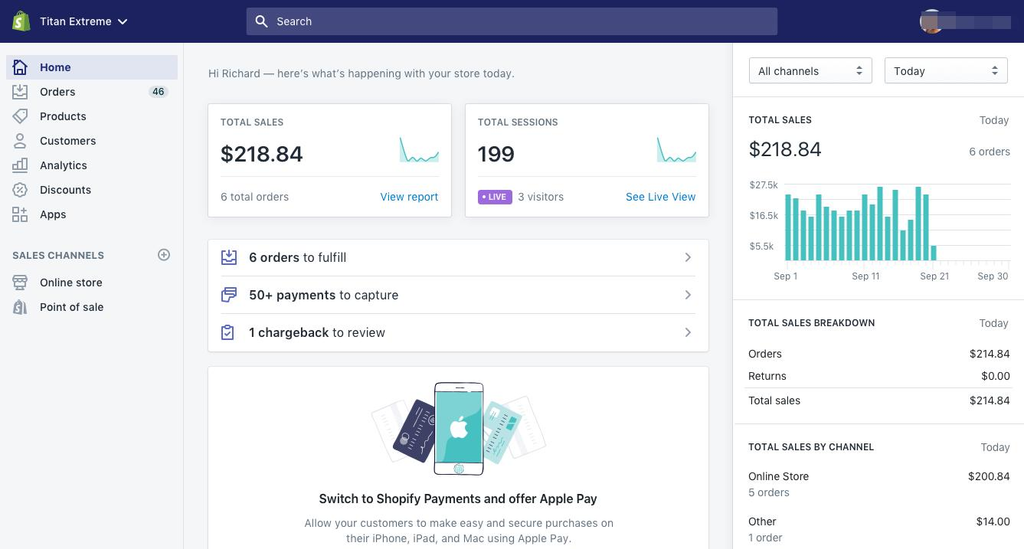
Best for beginners who want an all-in-one online store.
Shopify contains everything you need to create and manage your online store.
- Create product pages.
- Add customisations.
- Manage inventory.
- Manage orders.
- Setup payment options.
- Setup shipping options.
- Connect business apps.
The bonus is that most of the technical stuff is taken care of.
You won’t need to worry about hosting your website or adding an ecommerce plugin.
Drawbacks: You will be paying a recurring fee. Adding extra apps or paying transaction fees could add up. You will need a paid plan to have a full online store.
Best for: Beginners who want an exclusive ecommerce platform without worrying about a WordPress site.
WooCommerce
Best for WordPress users who want something flexible.
WooCommerce is an ecommerce plugin for WordPress. This will turn your WordPress site into an online store.
- Create product listings and categories.
- Shopping basket & checkout.
- Manage inventory.
- Setup shipping.
- Payment options.
- Extra plugins & customisation.
The bonus is that it is very flexible. You can create an online store around your existing WordPress site, and you have many themes and plugins to choose from.
Drawbacks: You will need to manage your own hosting. You will be responsible for updating your site. Choosing suitable plugins can be tricky. Extra plugins can add costs.
Best for: If you know WordPress or want more control over your site.
Etsy

Best for selling eligible handmade, vintage & creative products.
Etsy is an online marketplace.
This means you can list your eligible products on an existing online marketplace.
Bonus:
- No need to create an independent ecommerce site.
- Online marketplace.
- Tools to help you sell.
- Ideal for selling eligible handmade & creative products.
Drawbacks: You will need to comply with Etsy’s Creativity Standards & other marketplace rules. You may incur extra costs from listing, transactions, payment processing & possibly advertising. You will have less control over the overall customer experience.
Best for: Selling handmade, vintage & eligible creative products.
So Which Should You Choose?
| Platform | Bonus | Drawbacks |
|---|---|---|
| Shopify | Easy ecommerce setup. | Recurring costs. |
| WooCommerce | Flexible & can be used with WordPress. | More technical. |
| Etsy | Easy access to an existing marketplace. | Must comply with marketplace rules & costs. |
Depending on your business, budget and how much control you want over the technical aspects, you may want to choose Shopify as it is easy to get started with. If you want to use WordPress then WooCommerce would make sense. Etsy can be a good starting point if your products fit.
3. Choose a Name and Domain for Your Store
Once you have decided on your platform, decide what you want your customers to call your business.
Try to keep your store name short, easy to remember and relates to your brand.
- Check your domain is available.
- Search for similar business names.
- Check social media usernames.
- Check for any trademark issues.
- Avoid using names that are hard to spell or pronounce.
Having a custom domain makes your website more recognisable.
For example:
www.examplebrand.com
In many cases your domain will be separate to your ecommerce platform. You may be able to purchase your domain via your platform or a domain provider.
Don’t spend too long choosing the perfect name. Just choose something that fits your brand and check it is legally allowed to be used.
4. Create Essential Pages for Your Store
Aside from having nice product images, your customers need to know what you are selling, how to contact you and what happens once they’ve purchased.
Create the following pages:
Home Page
Tell customers what you offer and what your main products or ranges are.
Shop / Product Categories
Categorise your products into logical categories so customers can easily find what they want.
About Us
Tell customers about your business, what you are selling and a bit about your brand.
Contact Us
Give customers a reliable way to contact you about products, orders & returns.
Shipping Policy
Tell customers what delivery options you have, how long it will take to process, where you will deliver to and any restrictions.
Returns & Refunds
Tell customers what they can return, how long they have to return, how refunds will be processed and any exceptions.
Privacy & Terms
Tell customers how their information will be used.
These will help to give clear expectations to customers and create trust.
Depending on your business, customers, products & location you may have different legal requirements. Ensure you are using the correct legal guidance.
5. Add Your First Products With Clear Descriptions
One of the most important parts of your online store will be your product pages.
As most of your products can’t be viewed in person, your images, descriptions, specifications & prices need to give customers enough information to make an informed decision.
For each product you should include:
- Product name: Give your product a clear name.
- Product images: Include a variety of useful images.
- Product description: Tell customers what your product does and why they may need it.
- Product specifications: Include sizing, materials, colours, sizes & other relevant information.
- Price: Show your correct selling price and any variations.
- Stock availability: Tell customers how much stock you have.
- Shipping information: Tell customers how long it will take to process & deliver.
Write Clear Descriptions
Avoid using generic names and over the top marketing speak.
Instead of:
High quality storage unit.
You could write:
This compact desk organiser has separate sections for pens, notepads & small office essentials. The simple design means it is perfect for home offices & smaller workspaces.
This will give customers a better idea of what they are purchasing.
Use Useful Product Images
You don’t need to use a professional photography setup.
Using a plain background, natural lighting and smartphone will be enough for a small range.
Include:
- The whole product.
- Key details & features.
- The product in use.
- Different colours & sizes (if available).
- Packaging & any extra accessories (if applicable).
This will help customers know exactly what they are purchasing.
6. Set Up Payment Options
You will need to have a secure payment system for your online store.
Most ecommerce platforms will allow you to connect to payment processors. This will depend on your location, eligibility, product type & platform.
If you are based in the United States then common payment options to consider are:
- Credit/debit card.
- PayPal.
- Apple Pay.
- Google Pay.
- Other digital payment options.
Some platforms will allow you to use integrated payment processing whilst others will require you to connect an external payment processor.
Things to Consider When Setting Up Payments
Before accepting orders you should consider:
- Transaction & processing fees.
- Payment options available.
- When you will receive your payments.
- Refunds & chargebacks.
- Fraud prevention.
- Countries & currencies available.
If you are running a US based business then ensure the payment provider you choose will work with your business entity & bank account.
If you are not based in the United States but are targeting American customers then don’t assume you will be able to use US payment products & merchant accounts. Check if you are eligible & what the requirements are for cross border payments.
Ensure you clearly show the final price including shipping & tax.
7. Decide How You Want to Fulfil Your Orders
If you are selling physical products then shipping is an important aspect for your customers.
You will need to have a process to prepare, package, print shipping labels & handover your parcel.
There are a few ways to fulfil your orders.
Fulfil Orders Yourself
This is often the easiest option to start with if you have a small store.
You will store your products, package them up, pay for postage & send them.
Bonus:
- Full control over packaging.
- You can check your orders before sending.
- Flexible inventory.
- Create branded packaging.
Drawbacks:
- You will need space to store your products.
- Time consuming to package & ship.
- You are responsible for fulfilment.
Use a Fulfilment Service
A third party logistics provider (often known as a 3PL) will store your inventory, package & ship.
This can be useful once your order volume increases or you are spending too much time on fulfilment.
You will need to include storage, picking, packaging & shipping costs in your profit.
Consider Dropshipping
With dropshipping your products will be sent directly to the customer by your supplier.
This will reduce the need to store your inventory but you will have less control over packaging, stock & shipping.
Always ensure you use a reliable supplier & order samples.
Calculate Shipping Costs
Don’t just guess what your shipping costs will be.
Consider:
- Weight of your package.
- Size of your package.
- Where you are delivering to.
- Cost of postage from the carrier.
- Packaging.
- How quickly you want to deliver.
- Possible dimensional weight charges.
The USPS recommend using the correct packaging, measuring your packages accurately & using a kitchen or postage scale.
8. Purchase Some Basic Fulfilment Tools
You don’t need a warehouse full of equipment to start shipping products from home.
There are a few handy tools that can make the process easier.
Rollo Wireless Label Printer (X1040)
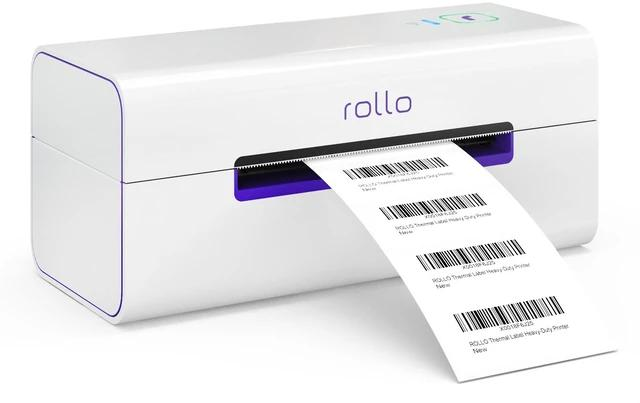
This printer will allow you to print shipping labels & other compatible labels without using ink/toner.
It has the following features according to the official specifications:
- Wireless.
- Airprint.
- 203 dpi.
- Compatible with direct thermal labels (approx 1.57-4.1”).
Bonus:
- Wireless printing.
- No ink/toner cartridges.
- Can print 4×6 shipping labels.
- Works with multiple ecommerce marketplaces & shipping.
Drawbacks:
- More expensive than using a regular printer.
- Will need compatible thermal labels.
- May not be necessary if you are only shipping a few orders.
Best for: Small businesses regularly shipping physical products from home.
ACCUTECK ShipPro W-8580 Digital Shipping Scale
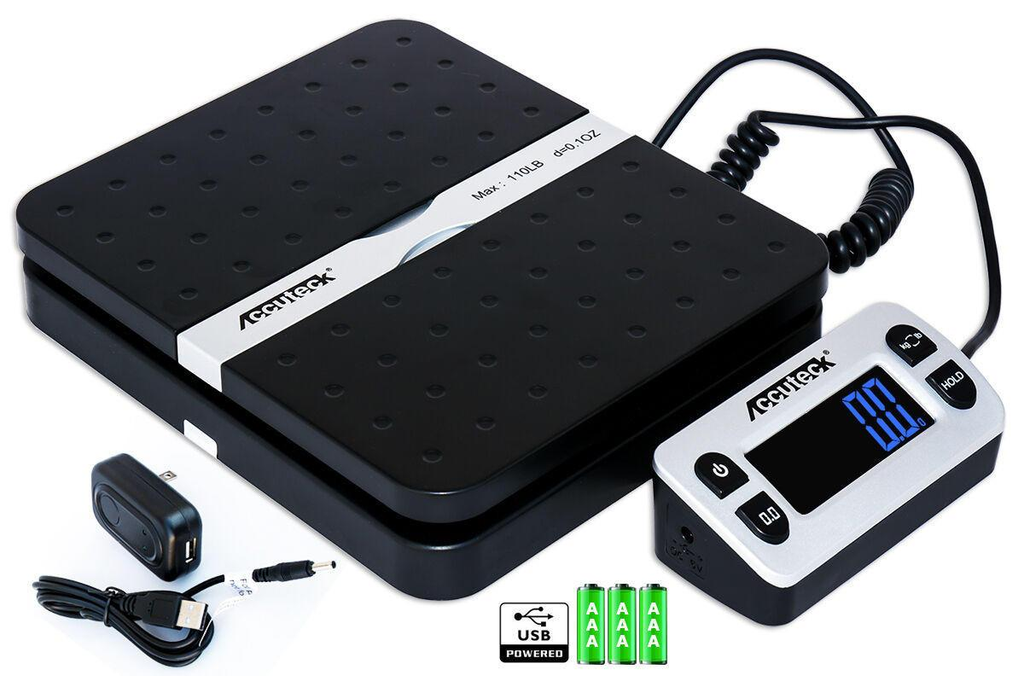
A digital postal scale can help you weigh your packages before purchasing postage.
The ShipPro W-8580 has a max weight of 110lbs & 0.1oz increments. The detachable display is great for larger packages.
Bonus:
- Suitable for a range of package sizes.
- Detachable display.
- Hold & Tare function.
- Multiple power options.
Drawbacks:
- Takes up some space.
- Requires a suitable flat surface.
- May be too large for businesses only shipping light weight envelopes.
Best for: Home based e-commerce businesses regularly shipping physical products.
Scotch H-180 Packaging Tape Dispenser
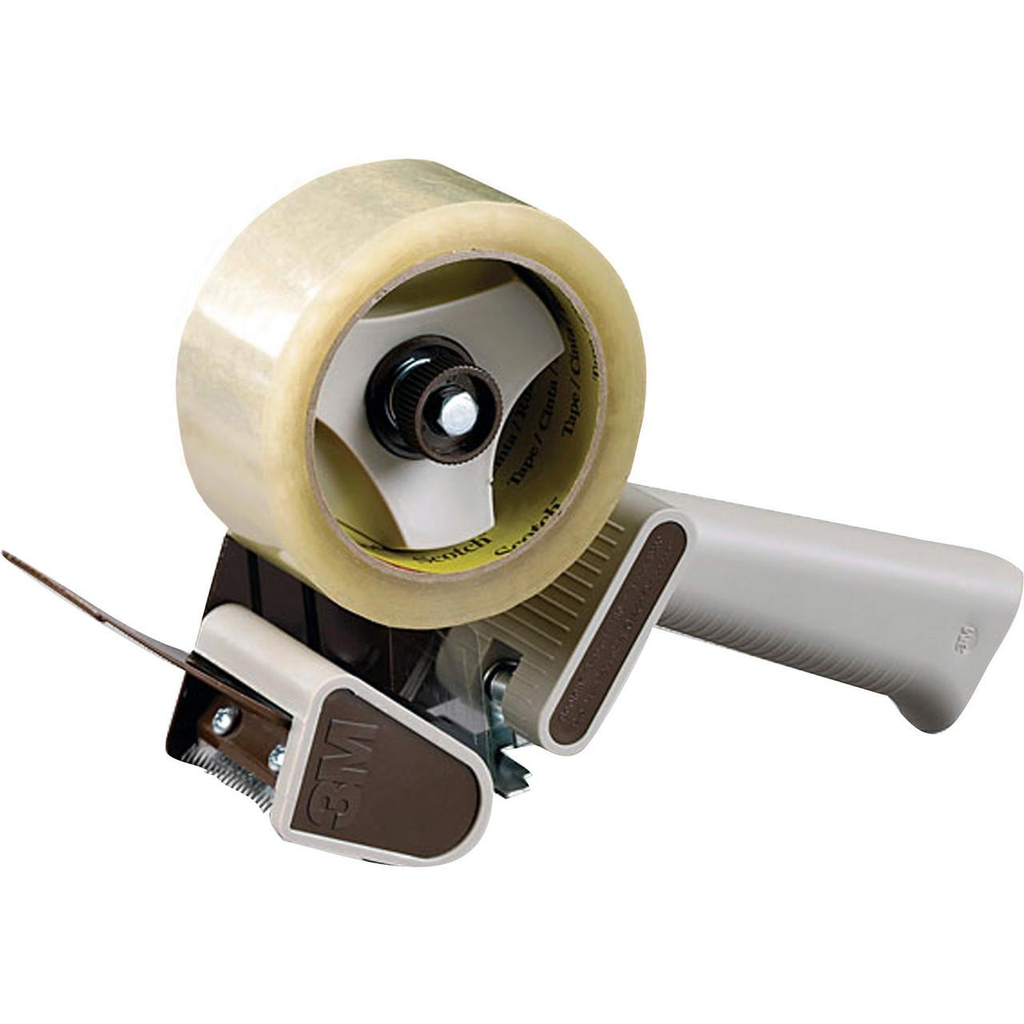
This handheld dispenser will make it easier to seal your shipping boxes.
It is a great addition to any business packaging multiple items.
Bonus:
- Easy to use with one hand.
- Helps you cut your tape without needing scissors.
- Great for regularly packing boxes.
Drawbacks:
- Takes up storage.
- Will need compatible tape rolls.
- Not essential if you are only shipping occasionally.
Corrugated Shipping Boxes & Poly Mailers
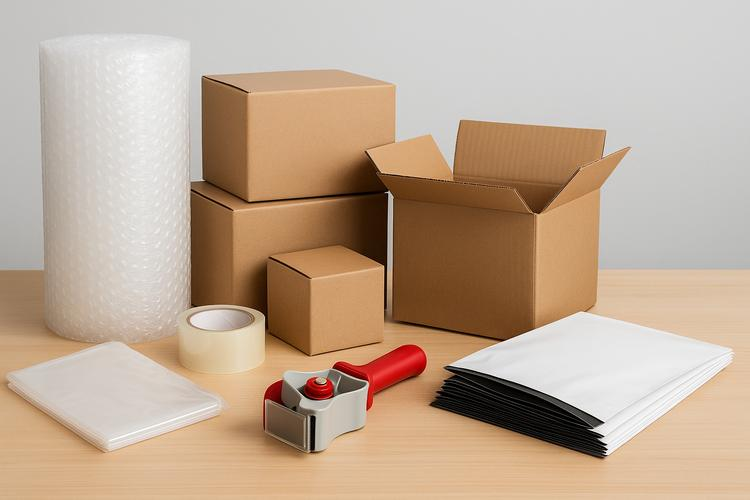
These are basic items to help you package & protect your physical products.
Choose the right packaging depending on the size, weight & fragility of your product.
Bonus:
– Available in a range of sizes.
Drawbacks:
– Incorrect packaging could increase your shipping costs & not protect your products.
Best for: Stores selling clothing, accessories, household products & other physical products.
9. Set Up Inventory
Even if you have a small online store you will need a way to track your products.
Without an inventory system you may accidentally sell out of stock products or forget to restock popular items.
If you only have a small range then a spreadsheet may be enough.
Include the following columns:
| Inventory | Example |
|---|---|
| Product | Canvas tote bag |
| SKU | BAG-001 |
| Variation | Natural / Medium |
| Stock | 24 |
| Re-order level | 5 |
| Cost per unit | Cost you paid for the product. |
| Selling price | Price you are selling at. |
A stock keeping unit (SKU) is an internal reference. This will help you identify your products & variations.
For example if you have the same shirt but in different sizes & colours you should have identifiable inventory.
As your range grows use the inventory features from your ecommerce platform or a compatible inventory management application.
Set up a routine to check your stock regularly so your website shows what you can actually fulfil.
10. Set Up Taxes, Business Info & Policies
This is an important step to consider before you start getting orders.
Running an online store means you may have tax, registration, licensing, privacy & consumer protection requirements depending on your business, products & where you are selling.
If you are running an online business in the United States then consider:
- Do you need to register your business.
- Check state & local licensing requirements.
- Understand federal & state tax requirements.
- Sales tax registration & collection.
- Customer privacy & data policies.
- Clear refund & shipping policies.
- Keep accurate sales & expenses.
Sales tax can depend on physical presence, economic nexus & other state requirements.
Don’t assume your ecommerce platform will automatically take care of all the legal & tax requirements. For example Shopify have a difference between tax calculation features & tax filing.
If you are running an international business & selling to customers in the United States then consider extra requirements for cross border businesses, payments, customs & tax.
A qualified accountant or business lawyer can help you understand what requirements apply to your business.
11. Test Your Store
Your store may look great but there may be issues preventing customers from purchasing.
Walk through the whole purchasing process as if you were a customer.
Website
- All links work.
- Categories are easy to understand.
- Website looks good on mobile.
- Product images load.
Purchase
- Can customers add products to basket.
- Are variations working.
- Is checkout easy.
- Are shipping costs showing correctly.
Payments & Orders
- Have payments been set up.
- Are order confirmation emails being sent.
- Does the inventory update.
- Can you view the order details.
Contact Information
- Is contact information correct.
- Are shipping & return policies available.
- Have privacy & terms been published.
Where possible use a test mode on your platform or a proper test transaction. Don’t waste time placing unnecessary orders to see if your website works.
Both Shopify & WooCommerce have setup guides & launch checklists to help you with the important setup.
12. Launch With a Small Marketing Strategy
Once your online store is published it won’t automatically get visitors.
You will need to market your business to potential customers and give them reasons to look at your products.
You don’t need to spend a lot of money on advertising to start with.
Optimise Your Product Pages
Use descriptive titles, useful descriptions, relevant keywords & informative images.
Instead of using generic titles like “Organiser”, use descriptive titles like “Wooden Desktop Organiser with Multiple Storage Compartments”.
Don’t keyword stuff.
Create Useful Content
If your products are related to a certain hobby, lifestyle or problem then create useful articles answering questions.
If you are selling kitchen products create recipes, storage tips & organisation guides.
Use Social Media Strategically
Use social media sites your target customers are likely to use.
Share product images, demonstrations, useful tips & behind the scenes content.
Get Feedback From Customers
Once you have fulfilled orders make it easy for customers to contact you & give feedback.
Use real customer feedback to improve your product information, packaging & customer service.
Start With a Low Marketing Budget
Don’t spend large amounts on advertising until you know your margins and customer acquisition costs.
Ensure your store can process orders and provide a good customer experience.
Simple Online Store Setup Checklist
Preparations
- Pick a product category and audience.
- Choose your product sourcing method.
- Choose a business name.
- Check domain availability and brand name.
Website
- Choose an E-commerce Platform.
- Link your own domain.
- Choose a theme and personalise it.
- Setup your homepage, About and Contact pages.
- Create your shipping, returns, privacy and terms pages.
Products & Payments
- Upload product images and descriptions.
- Set product pricing and stock.
- Setup payment methods.
- Setup shipping locations & costs.
- Set up tax information.
Fulfillment & Final Checks
- Setup your packaging & fulfillment materials.
- Test your checkout and order alerts.
- Ensure your website works on mobile devices.
- Check that all links and product details are correct.
- Create an initial marketing strategy.
Go Live!
You don’t need to complete all of the optional improvements but ensure your store can take orders, interact with customers and fulfill orders.
FAQs
1. How Do I Set Up a Beginner Online Store?
Decide what category of products you will sell and who your target customers are. Choose an E-commerce platform like Shopify or WooCommerce. Buy a domain name. Upload your products. Set up your payment and shipping. Finally, create your basic store policies.
Test your checkout.
2. How Much Will It Cost to Set Up an Online Store?
It depends on your type of business and chosen platform.
Some costs include:
- E-commerce platform fees.
- Domain name.
- Hosting (if using).
- Stock for your products.
- Packaging & shipping.
- Payment processing.
- Marketing & Advertising.
- Business registration & Compliance.
If you are selling digital products then you may not require as much initial investment into stock and equipment.
There is no set amount you will need to spend. Work out how much you will need to spend.
3. Can I Set Up an Online Store Without Coding?
Yes! There are a variety of platforms that can help you set up an online store.
Shopify provides an easy way to manage your store. WooCommerce provides a range of themes and plugins that can make your WordPress store easier to manage.
You may need some technical help for more advanced personalisations, integrations or troubleshooting.
4. Which Online Store Platform Is Easiest to Use?
Shopify is a great option for those wanting to use an E-commerce platform. It provides tools to make managing your store easier.
WooCommerce is a great option if you are using WordPress and want more personalisation.
Etsy may be a good option if your products fit their criteria and you want to use a marketplace.
5. What Should I Sell as a Beginner?
Choose products that provide a specific solution to a specific audience.
Possible categories include:
- Organisers for the home.
- Office accessories.
- Handmade gifts.
- Templates.
- Hobby accessories.
- Pet accessories.
- Design your own products.
Research what your customers want, competition, cost to source and profit margins before investing in stock.
6. Do I Need a Licence to Start an Online Store?
This depends on where you are based, what type of business you have, what products you are selling and any local regulations.
Some businesses may require you to register, have a permit or tax account. Research what is required in your state and locally.
7. How Do I Take Payments on My Online Store?
Most of the time you will need a payment processor that is compatible with your online store.
Depending on where you are based and your eligibility you may be able to take payments via credit/debit card, PayPal and digital wallets.
Research what processors are available, what countries they work in, how quickly you receive your payments and what their refund policy is.
8. Can I Run My Online Store From Home?
Yes! Many small E-commerce businesses start from home.
You can manage your products, interact with customers, manage your stock, packaging and shipping from a suitable area.
Consider storage space, insurance for your business, any local business regulations and any restrictions on your home or rented property.
9. How Many Products Should I List?
There is no set amount.
A few products with a specific focus can be enough to test your idea. Once you know what your customers want you can add more products.
10. How Do I Get My First Customers for My Online Store?
Target those who would be interested in your products.
Optimise your site for search engines, provide helpful blog content, post relevant content on social media, send emails and use targeted advertising.
Ensure your product pages are clear on how valuable your products are and that customers can easily contact you.
Final Thoughts
Setting up a simple online store is achievable.
You don’t need to have lots of products, a complex website or expensive equipment.
Start with a clear idea of what products you want to sell. Choose an E-commerce platform that suits your needs. Create helpful product pages. Set up payments and have a reliable fulfillment process.
Once you have everything sorted you can improve your website, add more products, create marketing campaigns and invest in more equipment.
The most important thing is to create an easy to understand, navigate and purchase from store.
Start small and focus on providing a good customer experience.