
Starting your business as a two-person startup can be really beneficial as you won’t need to have a huge number of departments, complex approval processes or expensive enterprise tools to make decisions.
The downside to this is that both founders will likely be involved in a lot of different areas of the business, from communication tasks, project management and cost tracking to marketing and product development.
Without the right tools in place, you may find information being stored in random places such as personal email accounts, spreadsheets, messenger apps and personal devices.
A well-planned tech stack will help with this.
You shouldn’t be trying to utilise every popular business tool, but instead find a set of tools that will help your two founders work together, keep your business information secure, manage your business and help you serve your customers.
This guide will show you what you can put into your tech stack as a two-person startup in the US. We’ll look at what kind of tools to use, what tools are free and what aren’t. We’ll also look into the security of your business and what you should upgrade.
Overall, we recommend starting with an email/document solution, a project management solution, secure password storage, basic accountancy and a simple customer management tool. Only add in specific tools when needed.
1. Tech Stack (6 Core Business Tools)

As your startup is only two people, you won’t need all the tools that a 50-person business would.
Instead, split your tech requirements into 6 core areas:
| Business Area | Tools to Use |
|---|---|
| Email / Communication | Google Workspace |
| Project Management | Notion |
| Customer Management | HubSpot CRM |
| Accountancy | Wave |
| Security | 1Password |
| Payment | Stripe |
| Design / Marketing (if needed) | Canva |
| Development (if needed) | GitHub |
These tools will help you with most of your admin and business tasks. Depending on whether you’re building software, selling products or offering services, your tools will differ.
The recommendations below apply to businesses based in the US. All software capabilities and pricing details are based on information from the official sources in November 2026.
2. Email, Document & Meeting Tool (Google Workspace)
Probably the first thing you should invest in is a professional business email solution.
Using personal emails for communication with customers, vendors and for business registration can easily become confusing.
Google Workspace provides a number of business tools:
- Professional email with your business domain (Gmail).
- Business documents (Google Drive).
- Proposals, contracts and documents (Google Docs).
- Budgets and basic tracking (Google Sheets).
- Meetings and deadlines (Google Calendar).
- Video calls (Google Meet).
- Easy access to documents for both founders.
What Plan Should You Go For?
A good place to start is with the Business Starter plan.
Pricing:
- $7 per user per month (annual plan).
- $8.40 per user per month (flexible plan).
This will cost you a total of $14 monthly with annual billing or $16.80 for two founders (flexible plan).
The Starter plan provides:
- Custom Business Email.
- 30GB pooled storage.
- Up to 100 people video calls.
Benefits:
- Separates business communication from personal accounts.
- Easy to share documents.
- No need for multiple email, calendar and meeting tools.
- All business tools in one place.
Limitations:
- Not much storage.
- Advanced meeting and administration functions require upgrades.
- Another ongoing cost.
Overall, we recommend starting with the Business Starter plan. Upgrade to the Business Standard once you need more storage or recording and collaboration.
It’s important to decide whether to use Google Workspace or Microsoft 365. Usually, you wouldn’t want to pay for both.
3. Project Management (Assign Tasks)
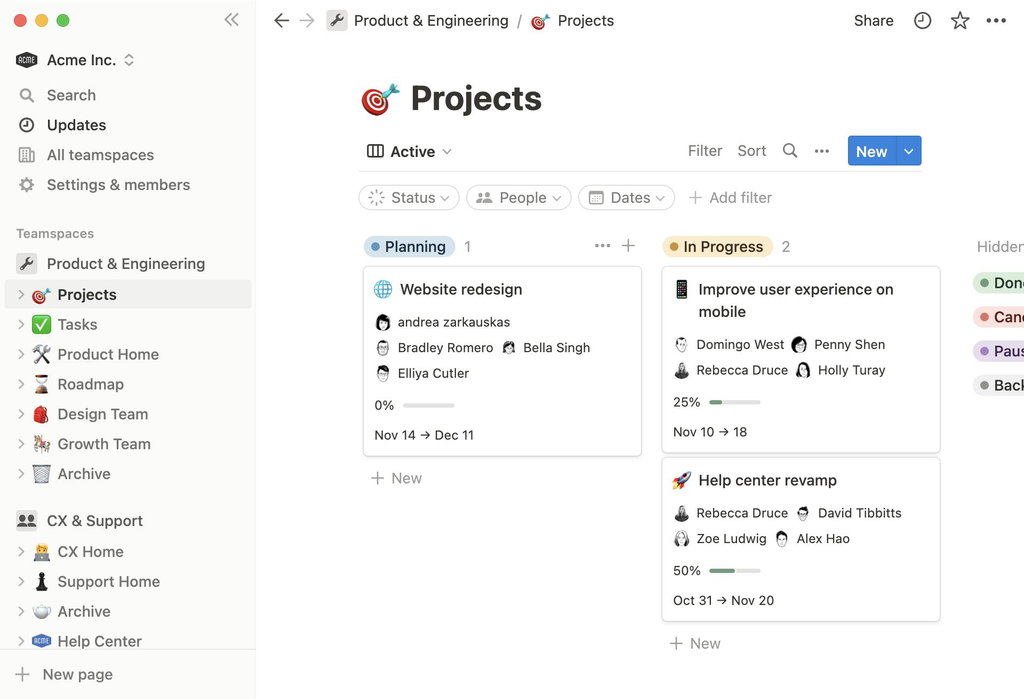
As there are only two founders, you may find it difficult to keep track of who is responsible for what.
For example, one founder may think the other has contacted a supplier whilst the other thinks it’s still awaiting approval.
Having a project management tool will help avoid this.
Recommended: Notion
See pricing and plans here.
Notion is a great tool as it allows you to create documents, databases, notes and light project management.
As a two-person startup, you could create:
| Section | What to Store |
|---|---|
| Dashboard | Important links and updates |
| Weekly Tasks | Tasks for each founder |
| Roadmap | Future features and milestones |
| Meeting Notes | Decisions and action items |
| Documents | Process, policies and instructions |
| Marketing Calendar | Content and campaign deadlines |
The free plan costs $0, but collaboration on the free plan has limitations for workspaces with two or more members. The Plus plan is listed at $10 per member per month. Be aware there are some limitations on what you can do within your workspace.
Benefits:
- Combines documents and project management.
- Flexible database and task management.
- Great for keeping company knowledge.
- No need for multiple planning tools.
Limitations:
- Can become complex if too many databases are created.
- Collaboration is limited on the free plan.
- May be too flexible for a small startup with few active projects.
Alternative If You’re a Development-Focused Business: Linear
See plans here.
Linear is a great tool for software development teams. It can help manage bugs, features, development and release planning.
If you’re developing an application or SaaS product, then this may be a better tool to use than Notion.
However, don’t invest in both.
Simple rules:
- Use Notion if you need to focus on documentation, planning and organisation.
- Use Linear if you’re a software development-focused company.
- Use Trello for a simple visual task management tool.
4. Customer Management (Track Sales)
HubSpot CRM
Often, for a two-person startup, customer management will be handled via email, phone and spreadsheets.
Whilst this will work for now, it can become difficult to manage if you have multiple leads at different stages of sale.
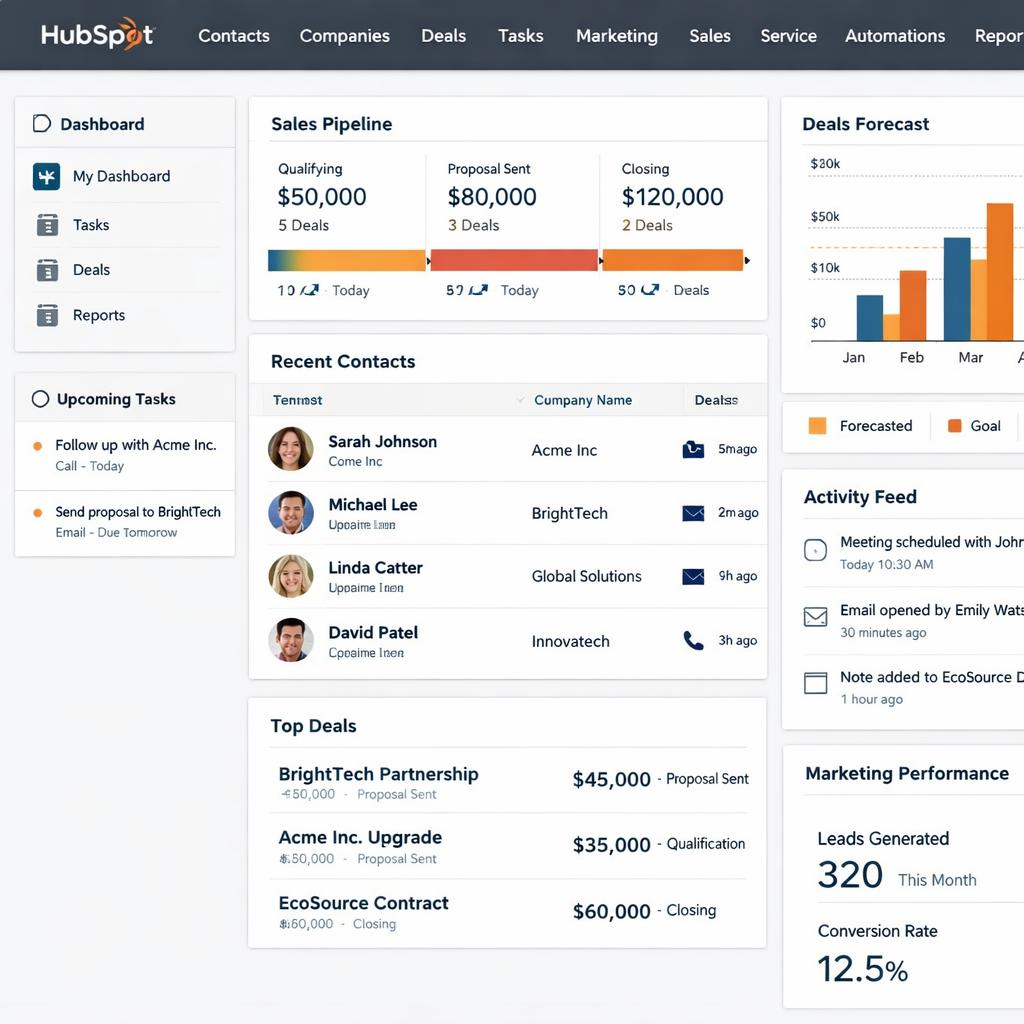
A CRM will help keep your customer information in one place.
The free CRM offered by HubSpot is a great option for small teams. It allows up to two users and 1000 contacts for free.
What Can You Do?
- Manage contact details.
- Manage potential customers.
- Manage sales opportunities.
- Manage deal stages.
- Track communication with customers.
- Basic reporting.
- Manage follow-ups.
For example, you could create a simple sales pipeline with:
- New Inquiries.
- Initial Contact.
- Discovery Call.
- Proposal Sent.
- Negotiation.
- Won/Lost.
Both founders can see what opportunities need attention.
Benefits:
- No more spreadsheets.
- Easier to keep track of follow-ups with customers.
- Visible potential sales.
- Great free option.
Limitations:
- Advanced automation and reporting require paid plans.
- Some features are limited.
- CRM needs to be kept up to date.
Who Should Use It?
Service-based businesses, agencies, consultants, B2B startups and founders who regularly communicate with potential customers.
If you’re an ecommerce business with lots of orders, you may want to use the customer management tools offered by your ecommerce platform.
5. Accountancy (Keep Your Business Finances Organised)

This is an area you definitely don’t want to cause yourself extra issues by putting off.
Even if you haven’t made much money yet, you want to have a reliable way to track:
- Income.
- Costs.
- Subscriptions.
- Invoices.
- Purchases.
- Payment processing fees.
- Receipts.
The IRS allow businesses to use whatever system they want to keep track of their finances as long as it clearly shows how much money is coming into and out of the business and can support the records needed.
Option A: Wave Accounting
See official pricing.
Wave is a great option for a small service-based business that just needs some basic accounting and invoicing.
The Starter plan offers:
- Unlimited Estimates.
- Unlimited Invoices.
- Bill and Bookkeeping.
- Basic Income and Cost tracking.
- Customer and Cash Flow Dashboard.
The Pro Plan offers extra features such as importing bank transactions, automatic categorisation, receipts and automatic payment reminders. This does not include payment processing.
Pricing:
– $19 per month.
Benefits:
- Free basic accounting.
- Great invoicing features.
- Ideal for simple service-based accounting.
Limitations:
- Advanced features require a paid plan.
- Payment processing has transaction fees.
- May need other software for more complex inventory, payroll and reporting.
Option B: QuickBooks Online
See official plans and pricing.
QuickBooks is another good option, especially if you want a more established accounting tool or will be working with an accountant.
The Simple Start plan offers:
- Income and Costs.
- Invoicing.
- Bank Transactions.
- Receipts.
- Reporting.
The Simple Start plan costs $38 per month. This can vary depending on promotions. It’s designed for a single user with access for your accountant. If both founders will need to have direct access to accounting, then check the user limits.
Should I Use Wave or QuickBooks?
| Feature | Wave | QuickBooks |
|---|---|---|
| Basic Accounting | Yes | Yes |
| Free Plan | Yes | No free Simple Start plan |
| Invoicing | Yes | Yes |
| Import Bank Transactions | Pro Plan | Yes |
| More Advanced Accounting | Limited | More Options |
| Best For | Small Service-Based Businesses | More Comprehensive Accounting |
Overall, we recommend using Wave if you have a simple two-person service-based business. However, if your accounting needs, accountant’s workflow or business is complex, then QuickBooks may be a better option.
Remember, you won’t get professional tax advice from an accountancy tool.
6. Password Management (Keep Your Business Secure)

With only two people in your startup, it can be easy to forget to keep your business secure.
However, both founders may have access to your:
- Business Email.
- Banking.
- Customer Information.
- Payment Accounts.
- Social Media.
- Website Administration.
- Cloud Storage.
Using the same password for multiple services is unnecessary.
A password manager will help both founders keep track of their credentials securely.
Recommended: 1Password
See business plans.
1Password is a password manager designed for businesses. It offers:
- Secure credential storage.
- Password generator and auto-fill.
- Shared vaults.
- Controlled access.
- 2 Factor Authentication.
- Security alerts.
- Developer-focused security.
The Business Plan costs $8.99 per user per month with annual billing. The Teams Starter Pack costs $24.95 per month (annual). However, this is for 10 members, so won’t be great value for just two people.
Benefits:
- Keep business credentials organised.
- Controlled sharing between founders.
- Multiple OS and browser support.
- Great security management features.
Limitations:
- Business plans require an ongoing cost.
- Founders will need to understand how to share passwords and control access.
- Will not secure all aspects of your business.
What Every Two-Person Startup Should Do
No matter what password manager you use:
- Enable multi-factor authentication for key accounts.
- Use unique passwords for all important services.
- Have individual accounts.
- Don’t share personal login details.
- Store recovery codes securely.
- Immediately remove access if a contractor or employee leaves.
- Keep secure backups of important business information.
A key thing to note is that both founders should know how to regain access to key accounts if the other is unable to access them.
This means you don’t have one person being a single point of failure.
7. Payment Solution (Let Customers Pay You)
Stripe
If you’re selling services, digital products, subscriptions or physical products online, then you’ll need a payment solution.
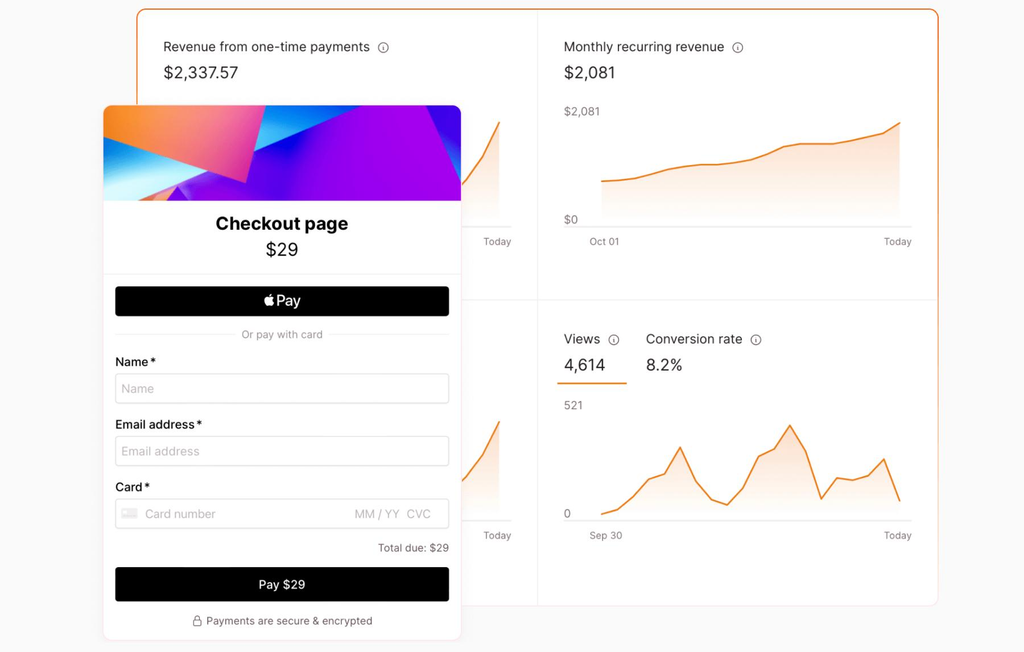
Stripe is a popular payment solution for US businesses. It allows you to take payments via cards, digital wallets, payment links and more.
Why Use Stripe?
- Take payments online.
- Create payment links.
- Embed checkout.
- Manage payments.
- Set up recurring payments with the right products and configuration.
- View payment reports.
Stripe charges 2.9% + $0.30 for standard domestic card payments. There may be extra charges for other types of payments.
Benefits:
- Great for online businesses.
- Multiple payment options.
- Developer-friendly.
- Can take one-off and recurring payments.
Limitations:
- Charges impact profit margins.
- May need technical setup.
- Payment processing will depend on your business and country.
Who Should Use It?
SaaS founders, ecommerce businesses, online service providers and digital product startups.
If you’re a two-person startup and don’t need to send many invoices, then you may not need a complex payment solution just yet.
Start with the simplest payment option.
8. Design & Marketing (Create Professional Content)
Canva
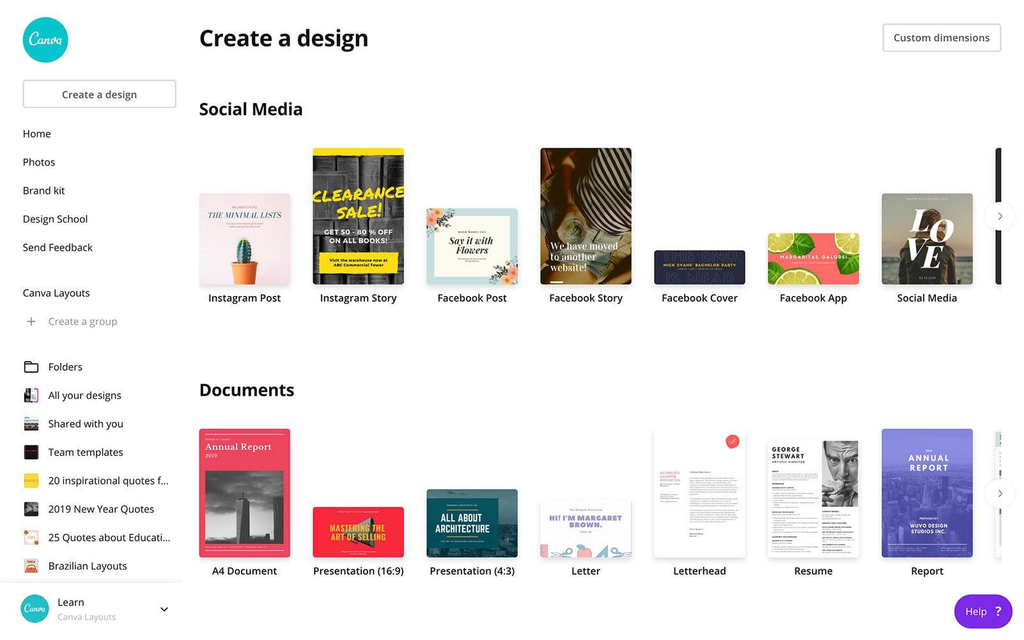
Alongside your website and business email, you’ll probably need some presentation slides, social media graphics, product images, marketing materials, simple infographics and more.
Canva can help your founders create this without needing to learn professional graphic design tools.
What Can Be Useful for Your Two-Person Startup?
- Social Media Posts.
- Presentations.
- Marketing Flyers.
- Basic Product Graphics.
- Proposals.
- Branding Templates.
- Simple Marketing Videos.
The Free plan costs $0 and includes design tools and templates. Its Pro plan is listed at $144 per person per year (US). It does offer premium content.
Benefits:
- Easy to use.
- Lots of templates.
- Great for keeping your branding consistent.
- Reduces the need for multiple design tools.
Limitations:
- Premium templates and features require a paid plan.
- Templates may make your different businesses look the same.
- More complex branding and design may require a professional tool/designer.
Overall, we recommend starting with Canva Free. Upgrade once you need to use premium assets, branding and design features.
9. Development Tools (If You’re Building Software)

Not every startup will need development tools.
If you’re a consultancy, marketing agency or local service-based business, you may not need any code storage.
However, if your two-person startup is building a website, SaaS application, mobile application or another software product, then version control will become important.
Recommended: GitHub
See official plans and pricing.
GitHub is a great tool for developers to store their code, track changes, work collaboratively and manage their development.
The Free plan offers:
- Unlimited public and private repositories.
- Issues and Projects.
- Dependabot (security and version updates).
- 2000 CI/CD Minutes per month.
- 500MB of Package Storage.
The Team Plan costs $4 per user per month. It offers collaborative features such as repository rules and multiple reviewers for pull requests.
For a two-person software startup, the free plan may be enough.
A simple setup could be:
| Requirement | Tool |
|---|---|
| Code | GitHub |
| Tasks | Linear |
| Documentation | Notion |
| Design & Prototypes | Figma |
| Website Hosting | Vercel or other |
| Error Monitoring | Sentry or equivalent |
| Product Analytics | PostHog or Google Analytics (depending on product) |
Don’t try to set up everything straight away.
If your product is still in early development, you may just need GitHub, a simple hosting solution and issue tracker.
Once your application develops, you can add analytics, error monitoring, auto deployment and more advanced infrastructure.
10. How Everything Works Together
The real benefit of having a tech stack is knowing how everything works together.
If you sign up for multiple subscriptions without knowing how the information flows between them, it can cause more work.
Here’s a simple setup for a two-person startup:
This is a logical split of responsibilities. It does not mean that everything will automatically sync between the apps.
For example:
- Track customer enquiries in HubSpot.
- Schedule meetings in Google Calendar.
- Track decisions in Notion.
- Create invoices in Wave.
- Take online payments in Stripe.
- Share credentials in 1Password.
Agree with your founders what the official source of information will be for each area of your business.
This will avoid duplication.
11. Who Should Be Responsible For What?
Having clear responsibilities will help your two-person startup.
Split responsibilities like this:
| Responsibility | Founder A | Founder B |
|---|---|---|
| Product Development | Mainly | Support |
| Customer Communication | Support | Mainly |
| Marketing | Mainly | Support |
| Sales Pipeline | Support | Mainly |
| Review Accountancy | Mainly | Support |
| Business Operations | Shared | Shared |
| Security & Access Review | Shared | Shared |
The split should depend on each founder’s experience.
Most importantly, every ongoing task should have one clear owner.
For example, if both founders assume the other is reviewing unpaid invoices, then you may not realise you have overdue invoices until you have cash flow issues.
Have a quick weekly meeting to discuss:
- What did we achieve last week?
- What is overdue?
- Any important customer follow-ups?
- What payments are due?
- What expenses need attention?
- What are the 3 most important things to focus on this week?
You don’t need anything complicated to answer these questions.
Having a shared task board and regular meetings will be enough.
12. How Much Should a Two-Person Startup Spend on Software?
One of the best things about starting with two people is that you can keep your costs low.
However, sometimes free tools won’t be the cheapest option in the long run. If a free tool causes you to do extra work, limits collaboration or makes it difficult to manage important business information, then it may be worth paying a little for a subscription.
Here’s an example of a minimal spend on software:
| Tool | Plan | Cost Per Month |
|---|---|---|
| Google Workspace | Business Starter (Annual) | $14 (2 people) |
| Notion | Free (with limitations) | $0 |
| HubSpot | Free CRM | $0 |
| Wave | Starter | $0 |
| 1Password | Business (Annual) | $17.98 (2 people) |
| Canva | Free | $0 |
| GitHub | Free | $0 |
| Stripe | Per Transaction | Varies |
Total Monthly Spend on Software: $31.98
Doesn’t include tax, optional tools, payment processing or any other paid tools. Assumes you’re eligible for annual billing.
This is just an example of a minimal setup. Notion may require an upgrade due to the limitations on the free plan. Some businesses will need to pay for accountancy.
Want to Keep Your Costs Even Lower?
Use:
- Existing business email/document tools.
- A shared spreadsheet or task board.
- Free CRM from HubSpot.
- Free accountancy from Wave (if applicable).
- Free GitHub if you’re doing development.
- Free Canva for basic marketing.
Only pay for tools if they provide a benefit.
13. Tools You Likely Don’t Need
This is an important consideration.
Lots of software companies will offer tools that provide extra features for larger teams. Whilst these can be excellent pieces of software, they may not be needed by just two founders.
Below are some tools that you can likely avoid paying for:
| Tool Type | Reason |
|---|---|
| Enterprise HR Software | 2 founders may not require the complex features |
| Advanced Marketing Automation | Basic email and customer follow-up will be enough |
| Enterprise CRM | A free CRM will be enough for initial customer management |
| Advanced Business Intelligence | Basic financial and sales reports will answer initial questions |
| Multiple Project Management Tools | One organised project management tool will make life easier |
| Team Messaging (Paid) | Email, documents and video calls will be sufficient |
| High AI Subscription | Start with tools that can demonstrate time saving |
| Complex Automation Tools | Manual processes can be manageable |
Slack
Slack have different plans. The free version includes 90 days of search history and a few app integrations. The Pro version will include unlimited search history and more collaboration features.
However, you’ll already have business email, messaging and video calls through Google Workspace.
Adding Slack in could just be another place for messages.
Add Slack if you really do need specific team channels, outside collaboration or app integrations that you don’t have.
14. 7-Day Plan to Get Your Tech Stack Sorted
You don’t need to spend days researching what software to use.
Instead, follow this simple 7-day plan to get your tools sorted.
Day 1: Business Accounts
- Buy/configure domain name.
- Set up professional email addresses.
- Create shared company storage.
- Set up calendars and video calls.
Day 2: Company Information
- Create company space.
- Write down business goals.
- Create project board.
- Create central place to keep meeting notes.
Day 3: Security
- Create user accounts.
- Set up password manager.
- Multi-factor authentication.
- View account recovery options.
Day 4: Financials
- Select suitable accounting software.
- Link relevant business financials (if applicable).
- Create basic expense categories.
- Create invoicing/receipt process.
Day 5: Customer Management
- Create CRM (if required).
- Create customer records.
- Create sales stages.
- Assign follow-up responsibilities.
Day 6: Marketing and Payments
- Create basic branding templates.
- Set up correct payment method.
- Try out your customer checkout/invoicing.
Day 7: Testing
- Create example project.
- Assign tasks.
- Test document sharing.
- Test invoicing.
- Check account access and security.
- Cancel any unnecessary subscriptions.
After a week, you should have a functional base.
FAQ
1. What Is the Best Tech Stack for a 2-Person Startup?
A good starting point for a general service-based startup in the USA would be:
- Google Workspace – For business communication.
- Notion – For documentation.
- HubSpot – For customer management.
- Wave – Basic accounting.
- 1Password – For managing credentials.
- Stripe – For online payments.
If you’re a software startup, then you could add GitHub and Linear.
2. Can I Run a Startup as a 2-Person Startup Using Free Tools?
Yes, many businesses can run on free tools for project management, customer management, design and development.
However, you may find it beneficial to pay for some tools to have business email, accounting, security and storage.
You want to avoid unnecessary costs.
3. Do I Need Google Workspace?
No, however it can be a great package providing business email, documents, calendars, storage and video calls.
Microsoft 365 is also a good option if you’d like to use Outlook, Word, Excel etc.
4. Should I Use Slack or Microsoft Teams?
Neither are required, if you have the tools to communicate then you don’t need them.
Slack can be a great tool if you want specific team channels and app integrations. If your business already uses Microsoft 365, then Microsoft Teams may make more sense.
As you only have 2 people in your team, start with the communication tools you have through your productivity subscription.
5. What Is the Best Accounting Software for a 2-Person Startup?
Wave can be a good option if you’re running a simple service-based business and just need basic invoicing and accounting.
If you need a more advanced accounting process or your accountant prefers it, QuickBooks is a better option.
You want to choose based on your business model and bookkeeping needs.
6. Do I Need a CRM as a 2-Person Startup?
Not necessarily.
If you’re regularly talking to potential customers, tracking proposals or sales opportunities, then a CRM can be very useful.
HubSpot have a free CRM that is a good starting point for eligible small teams.
7. What Cyber Security Tools Should I Use?
At the very least, you should have:
- A reputable password manager.
- Multi-factor authentication.
- User accounts.
- Secure Cloud Storage.
- Keeping software up to date.
- A reliable backup and recovery.
This is especially important as both founders will have access to sensitive company information.
8. When Should I Upgrade My Tech Stack?
Upgrade your tools if you’re having issues with your current tools.
This could be:
- Unable to collaborate due to being on a free plan.
- Taking too long to complete manual processes.
- Customer database becoming difficult to manage.
- More detailed financial reports needed.
- More security needed.
- Hiring staff/contractors.
Don’t upgrade just because another company is using a premium tool.
9. Should Both Founders Have Access to All Business Accounts?
Not necessarily.
Both founders should have the correct access to key systems within the company. This will depend on what each founder is responsible for.
For example, one founder may need admin rights to their website hosting and the other may need access to their accounting.
Don’t share one login, instead use user accounts. Where possible use roles and ensure there is a secure recovery process.
Final Thoughts: Keep It Simple, Integrated and Flexible
You don’t need a complex tech stack to run your 2-person startup professionally.
In fact, having a simple tech stack can be one of your greatest advantages.
Start with the basics such as professional email, organised documents, project management, accounting, customer records and secure access.
Add tools for marketing, payments, automation and development based on your actual needs.
Remember to use the software to help your business strategy.
The best tech stack to start with would be one that enables clear communication between the 2 people, quick decision making, effective customer service and gives more time to building your business.