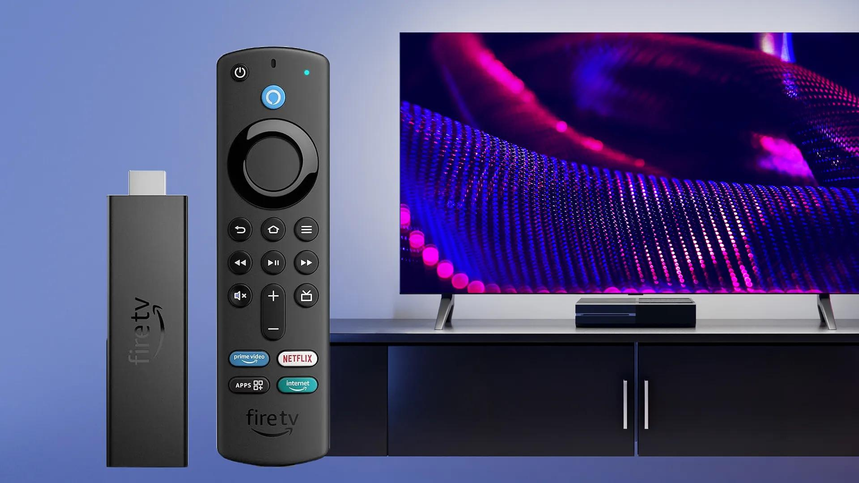
Although smart TVs typically offer the ability to stream content from a range of sources such as Netflix, YouTube, Prime Video etc., many people still opt for additional streaming devices.
What is the issue?
Whilst some smart TVs can suffer from slow menus, limited app choice, old software and slow interfaces, others will run fine and offer everything you need.
A streaming device can help enhance your streaming experience but may not be worth it.
It will depend on your television’s system, speed, app availability, streaming needs and personal preferences.
In this guide we will show you when it is worth getting a streaming device, when your smart TV is suitable and what are the popular streaming devices to consider.
What Is A Streaming Device?
A small device which can be plugged into your television via an HDMI port. It will offer you a new operating system, apps and a streaming interface.
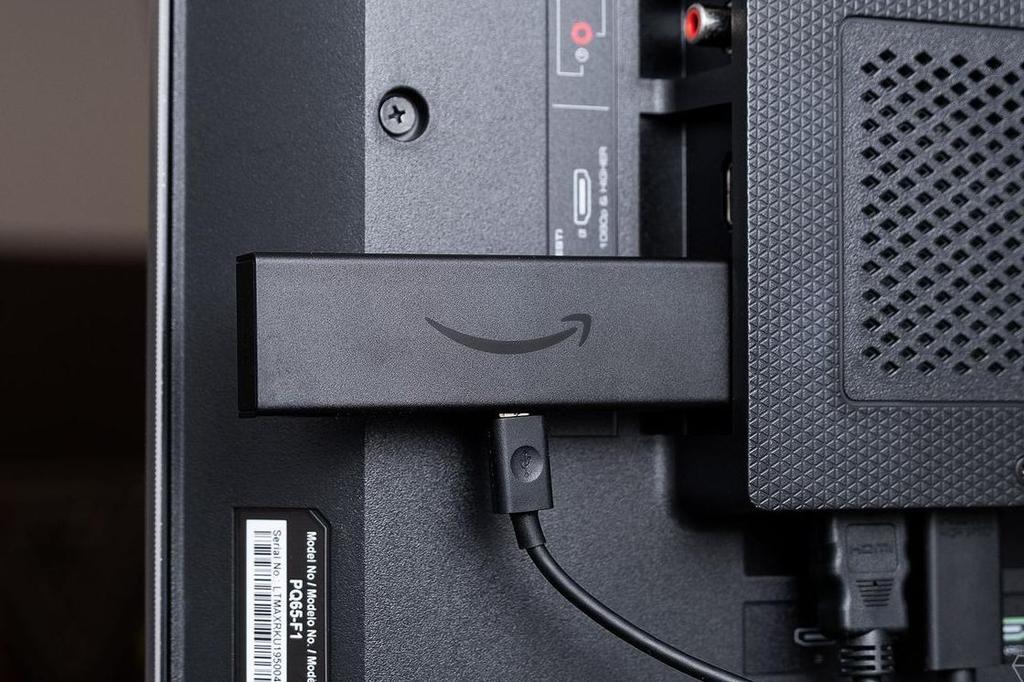
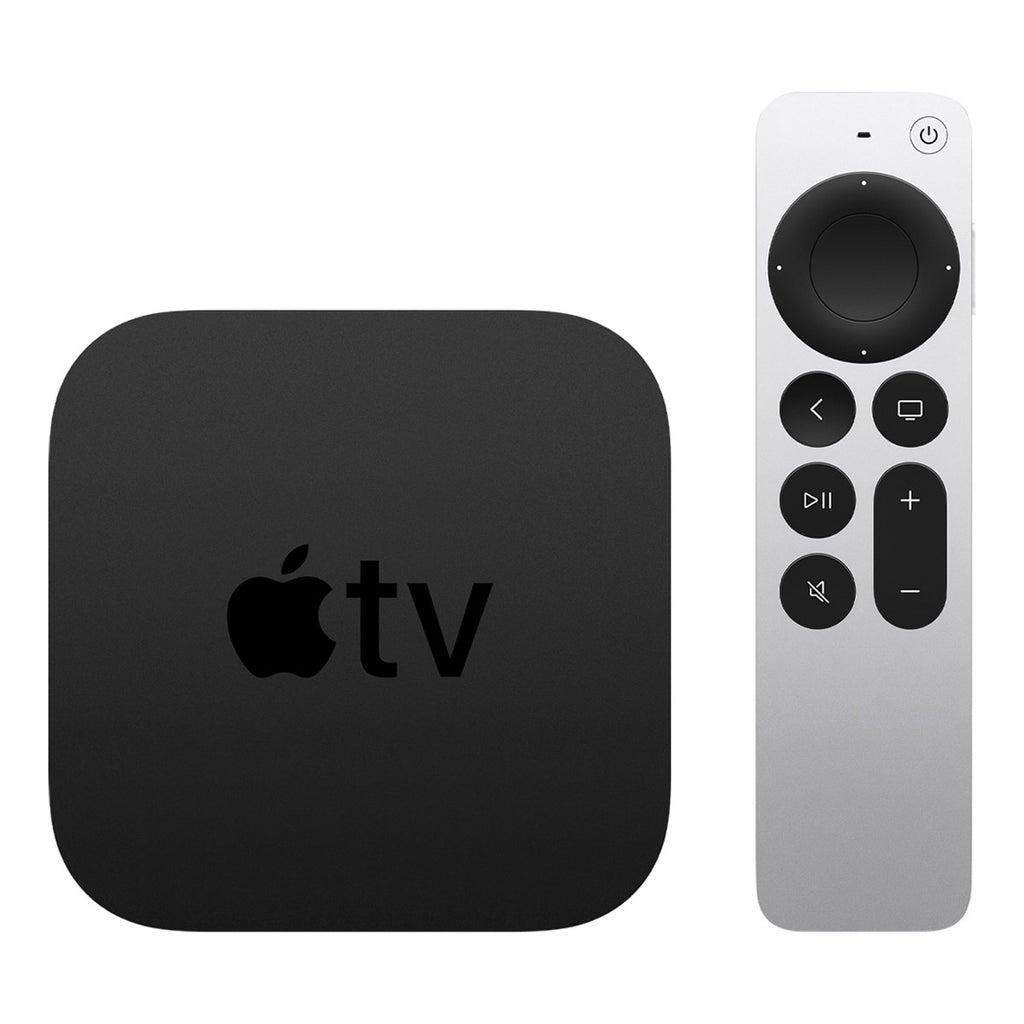
Depending on the availability of apps in your region you will be able to stream services such as Netflix, Disney+, YouTube, Prime Video etc.
Popular examples include:
- Streaming Sticks – Small device that can be plugged into an HDMI port.
- Streaming Boxes – Larger device that sits near your television and can be connected via HDMI.
- Game Consoles – Such as PlayStation and Xbox which can also have streaming apps.
A smart television will offer many of these features. The external device will offer you an alternative way to stream.
Netflix will officially support both smart TVs and external streaming devices.
When Not To Get A Streaming Device
If your television already offers everything you need then there likely won’t be much benefit from getting an extra streaming device.
Your Favourite Apps Are Available
If you already have all the apps you want available on your smart television such as Netflix, Prime Video, YouTube, Disney+ and others then there is no reason to get an extra streaming device.
Ensure:
- Your favourite apps are available.
- They receive regular updates.
- Videos play without issues.
- Your TV supports the quality of streaming you want.
Netflix will have a list of supported devices. However, it will depend on your TV model and software.
Fast Menus
Not all streaming devices will offer faster or better performance than your smart TV.
Modern TVs can have powerful processors and streamlined software.
If your TV offers:
- Fast app opening.
- Fast switching between services.
- Smooth video playback.
- Regular software updates.
Then you may not need an extra streaming device as they will just be redundant.
Good Quality Picture And Sound
An external streaming device will not improve your TV’s picture quality.
For example, if you have a Full HD TV and get a 4K streaming stick then your TV will not become 4K.
Your final picture quality will depend on:
- The resolution of your TV.
- Supported output of the streaming device.
- Quality of video from the streaming service.
- Your subscription.
- Internet Speed.
- HDR and Audio support.
If your current TV offers the picture and sound quality you want then an external streaming player may not make a big difference.
Rarely Use Streaming Apps
Some people may not use streaming apps very often. They may watch cable, satellite channels, broadcast TV or content from connected devices.
If you rarely open a streaming app then it may not be worth getting an extra player.
5 Reasons To Get A Streaming Device
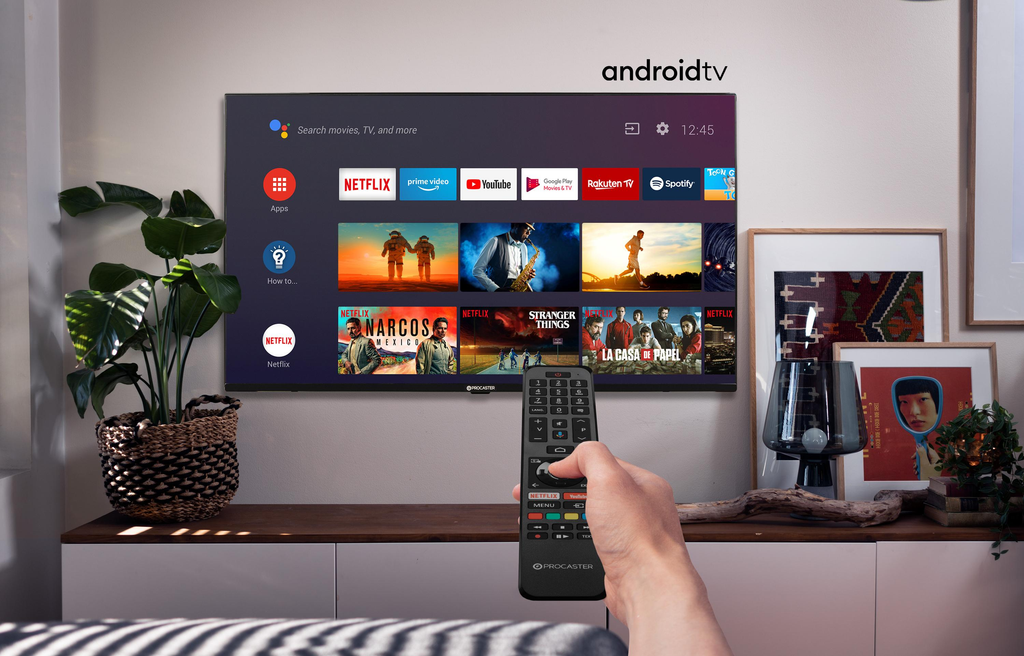
Despite your smart TV offering streaming capabilities, there are a few reasons why you may want to get an external streaming device.
1. Slow Smart TV
One of the best reasons for getting a streaming stick.
Older TVs may have slower performance when opening apps, navigating menus and using the remote.
An external streaming player can offer a new software platform and faster performance.
However, this will depend on your TV and streaming player. It will not necessarily fix all issues.
It will also not improve your Wi-Fi signal and will not improve the hardware of your TV.
2. Missing App Support
Sometimes smart TV manufacturers and streaming services will stop supporting certain apps.
Older TVs may no longer support an app or software update.
As explained by Netflix some older TVs and streaming devices may no longer support the Netflix app. If you can’t find an app after checking for updates you can use a compatible external device.
This can be a great way to make your TV more useful.
3. Different Streaming Interface
Not everyone likes the interface of their TV manufacturer.
You may want:
- Roku – Simple interface.
- Fire TV – Amazon focused.
- Google TV – Content suggestions.
- Apple TV – Apple integration.
Using an external streaming player will allow you to choose your preferred interface.
4. Extra Smart Home Features
Some streaming devices offer extra features.
Depending on model they can include:
- Voice search.
- Smart home control.
- Compatible speaker integration.
- Smart home features.
- Content control via smartphone.
For example, the Google TV Streamer offers Matter and Thread smart home integration and can act as a Google Home hub.
If you have compatible smart home products then these can be useful.
5. Multiple TVs
An external streaming stick can be easily moved.
This means you can unplug it from one compatible TV and plug it into another TV with an HDMI socket.
This can be useful if:
- You frequently travel.
- You have a TV in multiple rooms.
- You want a consistent streaming interface.
- You want to use a supported device on a TV in a guest room.
You may need to log into your accounts again. Some services will limit how much you can use.
Smart TV Vs Streaming Device
Both can offer you similar entertainment but there are differences.
| Feature | Smart TV Apps | Streaming Device |
|---|---|---|
| Apps | Built in | Installed |
| Extra Hardware | No | Yes |
| Operating System | Dependent on TV | Dependent on Device |
| Remote | TV Remote | Streaming Remote (Sometimes TV) |
| App Availability | Dependent on TV Model | Dependent on Streaming Platform |
| Portable | No | Yes |
| Software Updates | TV Manufacturer | Device Manufacturer |
| Extra Cost | Usually included | Extra Cost |
The key thing to remember is that you will get a new software platform.
4 Streaming Devices To Consider If Upgrading Your Smart TV
If you have decided you want to upgrade your TV with an external streaming player then here are 4 to consider.
The recommendations below are based on the manufacturers specifications.
1. Amazon Fire TV Stick 4K Plus (2025)
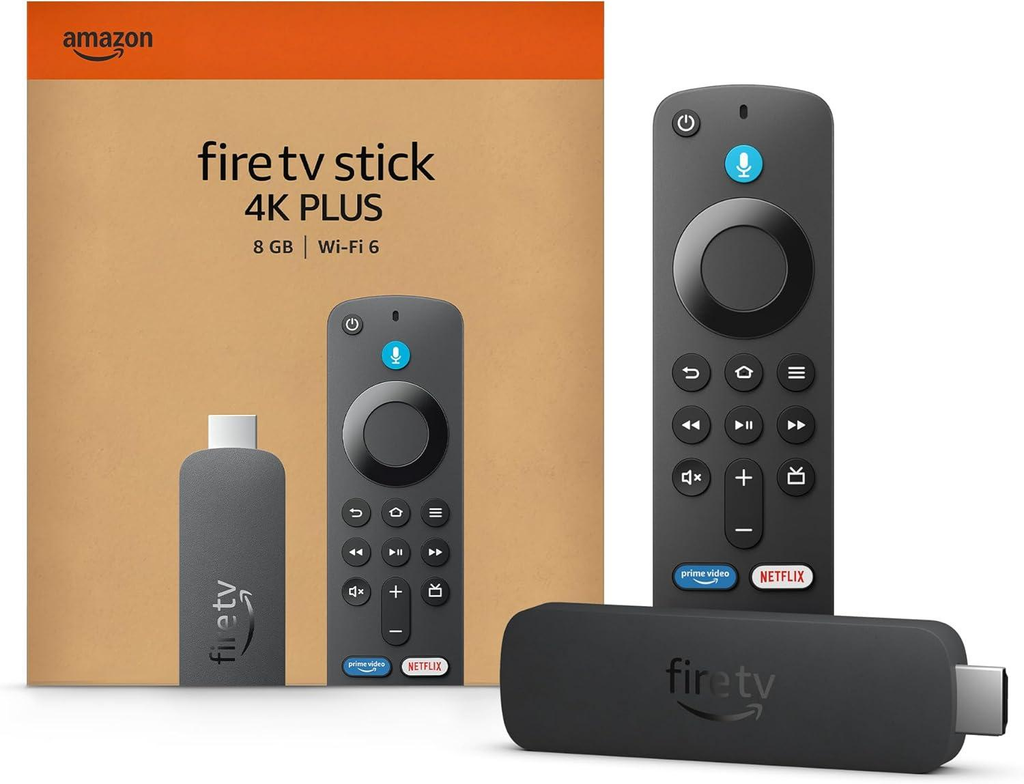
A small streaming player to offer you a new entertainment interface.
Offers 4K streaming, Dolby Vision, HDR10+ and Dolby Atmos (Dependent on compatible content and hardware).
Key Features:
- 4K Ultra HD.
- Dolby Vision & HDR10+.
- Dolby Atmos.
- Wi-Fi 6.
- Alexa Voice Remote with compatible TV controls.
- Fire TV.
According to Amazon’s specifications the 2025 model will use Fire OS 8 and have 2GB of RAM.
Benefits:
- Small.
- Supports a range of popular HDR formats.
- Alexa voice control.
- Works with compatible Amazon devices and services.
Drawbacks:
- Needs to be connected via HDMI.
- Will need to log into your Amazon account.
- Focuses on Amazon content and suggestions.
- Some features may not be available in your region.
Who Should Consider?
Those who use Amazon services, want Alexa integration or need a separate 4K streaming interface.
Price On Amazon – Amazon Fire TV Stick 4K Plus
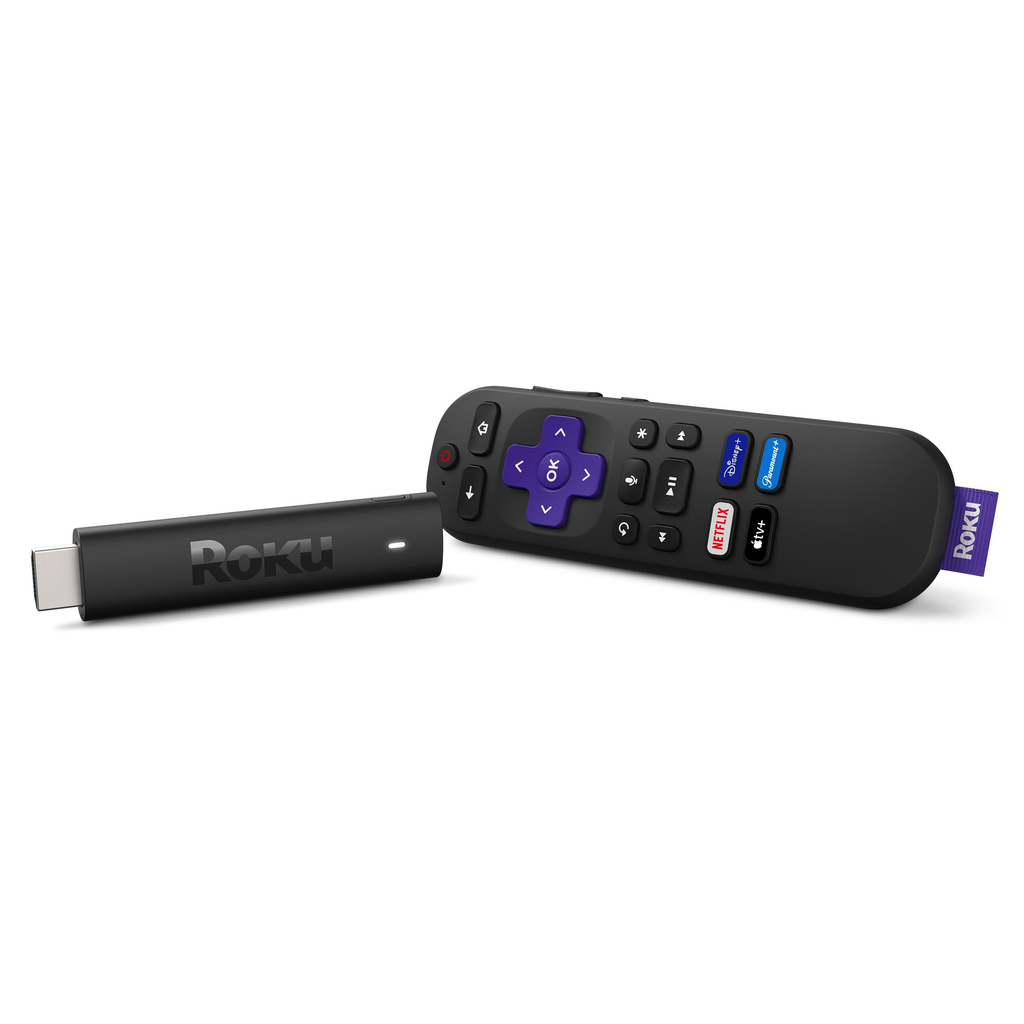
2. Roku Streaming Stick 4K
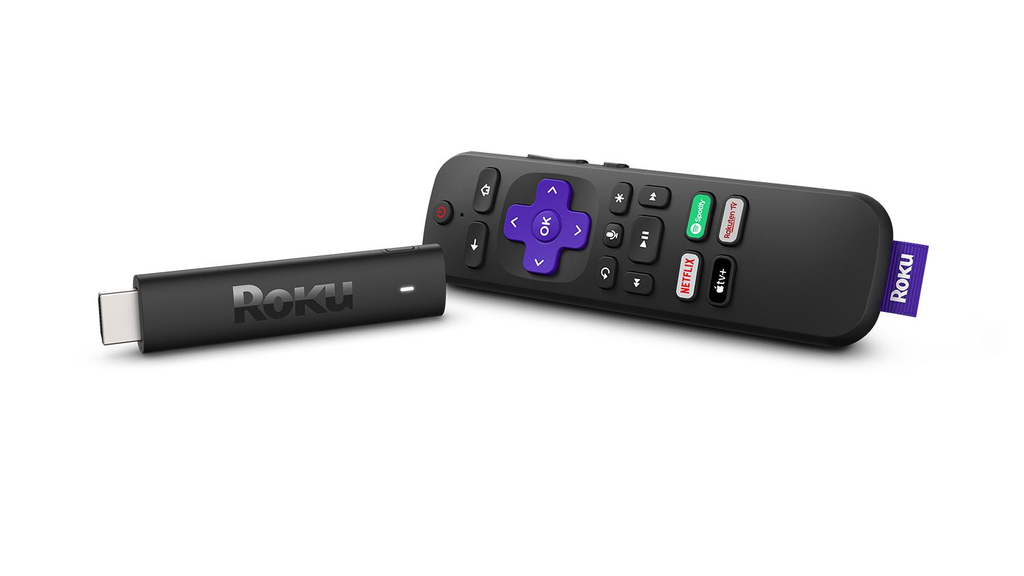
A great option if you want a dedicated streaming platform. No need to buy a large media box.
Supports up to 60fps 4K, Dolby Vision, HDR10+, HLG (Dependent on compatible TV and content).
Key Features:
- 4K Ultra HD.
- Dolby Vision & HDR10+.
- Dual Band Wi-Fi.
- Long Range Wi-Fi Receiver on power cable.
- Voice Remote with TV power and volume controls.
According to Roku this model 3820R2 has HDMI 2.0b and wireless capabilities.
Benefits:
- Small.
- Easy to use streaming interface.
- Supports multiple HDR formats.
- Includes remote with compatible TV controls.
Drawbacks:
- Will need a compatible TV for 4K and HDR.
- Not all streaming services available in all regions.
- Relies on your home network for Wi-Fi.
- Doesn’t offer all of the advanced smart home features of other platforms.
Who Should Consider?
Those who want an easy streaming interface and want to add a dedicated streaming player to a compatible TV.
Price On Amazon – Roku Streaming Stick 4K
3. Google TV Streamer (4K)
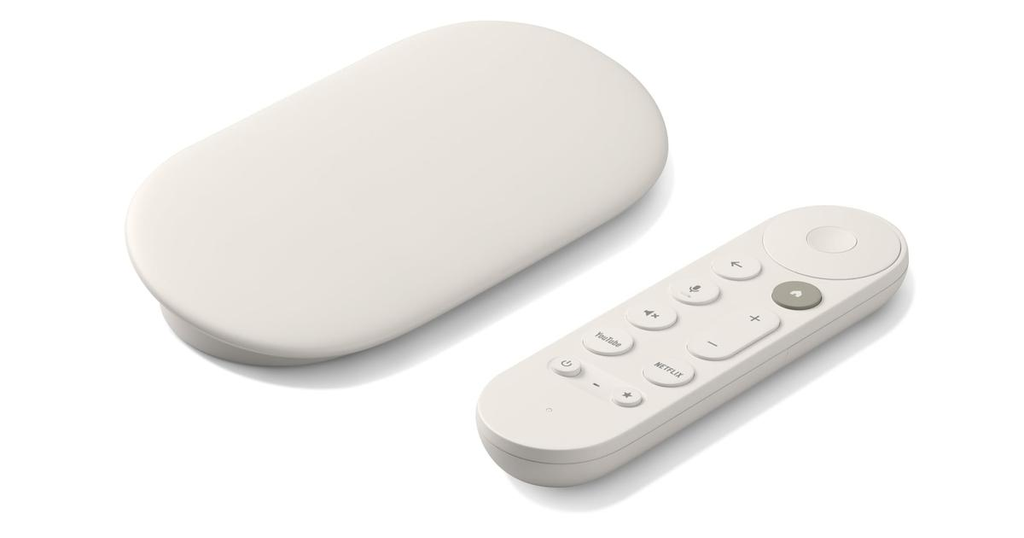
Not a small HDMI stick like others. This is a set top box.
Offers you a Google TV interface allowing you to stream supported services, personalised suggestions and discover content.
Key Features:
- Up To 60fps 4K HDR.
- Dolby Vision, HDR10+, HLG.
- Dolby Atmos.
- 4GB Memory.
- 32GB Storage.
- Gigabit Ethernet.
- Matter & Thread Smart Home.
According to Google.
Benefits:
- More storage than many basic streaming sticks.
- Ethernet option.
- Google Home & Compatible Smart Home.
- Great if you use Google services.
Drawbacks:
- Large.
- Will need to purchase a separate HDMI cable (As mentioned by Google).
- More hardware to place near your TV.
- May not be necessary if your current Google TV interface works well.
Who Should Consider?
Those who use Google Home, like using Google TV and want a dedicated streaming box with Ethernet.
Price On Amazon – Google TV Streamer (4K)
4. Apple TV 4K
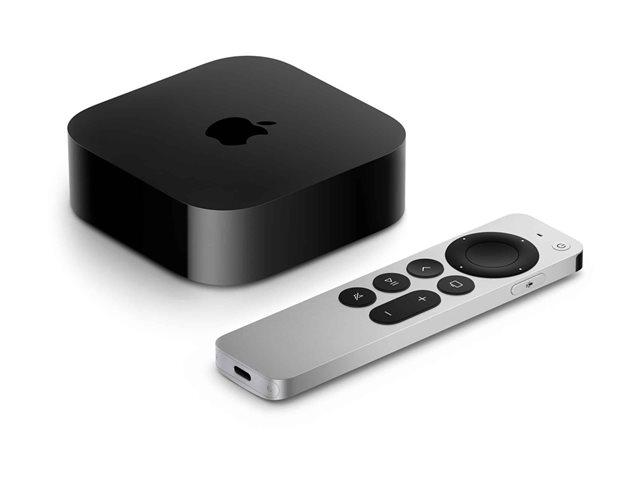
A high-end option for those who frequently use Apple products and services.
According to Apple’s current technical specifications this will have an A19 chip, 4K HDR up to 60fps, Dolby Vision, HDR10+, HLG and Dolby Atmos.
Key Features:
- 4K HDR.
- Dolby Vision & HDR10+.
- Dolby Atmos.
- Siri Voice Control.
- Apple Integration.
- Bluetooth Keyboard & Game Controller support.
Benefits:
- Apple Integration.
- Wide range of video formats.
- Great if you have compatible smart home and entertainment.
- Dedicated streaming box.
Drawbacks:
- Generally a more premium purchase.
- Will need an Apple Account to purchase, rent and use other Apple services.
- HDMI cable will need to be purchased separately.
- Some features will be most useful if you have compatible Apple products.
Who Should Consider?
Those who use Apple products and want a dedicated streaming player with Apple Integration.
Price On Amazon – Apple TV 4K
Quick Comparison – Which Should I Get?
If you are considering getting an external streaming player then here is a quick comparison of the options.
| Device | Main Benefit | Best For |
|---|---|---|
| Fire TV Stick 4K Plus | Alexa & Amazon Integration | Amazon Users |
| Roku Streaming Stick 4K | Easy Streaming | Easy Entertainment |
| Google TV Streamer | Google & Ethernet | Google Home Users |
| Apple TV 4K | Apple Integration | Apple Users |
In practice, don’t go for the most expensive option with the most features. Go for the one that will help solve an issue you are having with your current TV.
Things To Consider Before Purchase
Ensure your TV will work with the streaming device.
1. HDMI Port Available
Most streaming sticks and boxes will use an HDMI connection.
Check the back or sides of your TV to ensure you have an available HDMI port.
If you don’t then you may need to unplug another device or purchase a compatible HDMI switch.
2. Resolution Of TV
If you have a Full HD TV then you won’t get true 4K quality from an expensive 4K streaming device.
In general you will need:
- A compatible 4K TV.
- A 4K streaming device.
- A 4K streaming service and subscription.
- Sufficient internet speed.
- Compatible HDMI & Content Protection.
Roku have official setup guidelines for 4K.
3. App Availability
Not all streaming devices will have the apps you want in every country.
Check the availability of your favourite services.
This is especially important if you watch regional entertainment, international channels or services with location restrictions.
4. Internet Connection
A streaming device won’t improve an unreliable internet connection.
If you frequently experience buffering then look into your Wi-Fi connection before spending money.
Roku recommend up to 25Mbps for 4K streaming. However, this will depend on your service and circumstances.
5. Remote
Some streaming remotes will have:
- TV Power.
- Volume.
- Voice Search.
- Quick access to streaming apps.
This can help make streaming easier. However, ensure it is compatible with your TV and other devices.
Can I Make My Old TV Smart With A Streaming Device?
Yes! In fact this is one of the most useful reasons to get a streaming device.
If you have an older TV with an HDMI port but no streaming apps then you can connect a compatible streaming stick or box.
Once set up you can use the available apps to stream online entertainment.
For example, an older Full HD TV will work with compatible streaming devices. However, the maximum picture quality will still be limited by the TV.
This can be a great alternative to replacing your TV.
Common Mistakes To Avoid
There are a few common mistakes you can make:
- 4K Device For Full HD TV – You may be paying for features you can’t fully utilise.
- Not Checking App Availability – Your favourite services may not be available in your country.
- Thinking It Will Improve Your Internet – A streaming stick will not improve your router or broadband.
- Duplication – Your TV may already have the same streaming apps and smart home features.
- Not Checking Software – Check the manufacturers site for updates and support.
- Assuming It Will Improve Picture Quality – Your TV’s capabilities will still affect this.
A bit of research can help you avoid getting a device that won’t really improve your entertainment.
FAQ
1. Do I Need A Fire TV Stick If I Have A Smart TV?
No. If your smart TV has all the streaming apps you want and runs well then it is not necessary to get a Fire TV Stick.
However, if you want to use the Fire TV interface, Alexa integration or have an alternative to old TV software then it can be useful.
2. Will A Streaming Device Improve My Picture Quality?
Not necessarily.
A streaming device can offer you higher quality streaming formats. However, your TV will need to support them.
A 4K streaming device will not make your Full HD TV display true 4K.
3. Can I Use A Streaming Stick Without Wi-Fi?
Most popular streaming sticks will require an internet connection to stream online apps.
Some services may offer limited offline viewing using other compatible devices. However, this won’t make your streaming stick a full offline entertainment device.
4. Do I Have To Pay Monthly For A Streaming Device?
Generally no. However, individual streaming services may require subscriptions.
Some platforms will offer free content with advertising. This will depend on the service and your location.
5. Can I Use One Streaming Device For Two TVs?
Yes, as long as both TVs are compatible with HDMI.
You can move the device between the TVs. However, you generally won’t be able to use one HDMI streaming stick to stream different content on two TVs.
6. Is A Streaming Box Better Than A Streaming Stick?
Not necessarily.
Streaming boxes often offer more connectivity, more storage or other features. However, streaming sticks are generally smaller and more convenient.
Decide based on your requirements.
7. Will A Streaming Device Work With An Older Non-Smart TV?
Yes, as long as it has a compatible HDMI port.
You can connect a streaming device, set up the internet connection and use the available apps.
If it doesn’t have an HDMI port then you may need extra conversion hardware. It may not be compatible.
8. Should I Get A Streaming Device For All My Smart TVs?
Generally no. If your TVs are providing a good streaming experience then there is no real need.
Only consider getting separate players if your TVs are missing apps, have old software or aren’t running well.
9. Will A Streaming Device Make Netflix Faster?
It can if your built in Netflix app is slow but the external device offers better performance.
However, you may still experience buffering due to poor internet connection, network congestion or issues with Netflix.
10. Is An Expensive Streaming Device Worth It?
It depends on your requirements.
Premium devices may offer more storage, more connectivity, better integration and more advanced features.
If you mainly watch YouTube and Netflix then a simple device or your current smart TV may be sufficient.
Final Verdict – Should I Get A Streaming Device For My Smart TV?
It will depend on how well your current TV is meeting your entertainment requirements.
Use Your Smart TV
No Purchase Needed. If your apps are working well, menus are fast and you are getting the picture quality you want.
Get A Streaming Stick
If your TV is slow, missing key apps or you want a more convenient streaming interface.