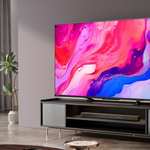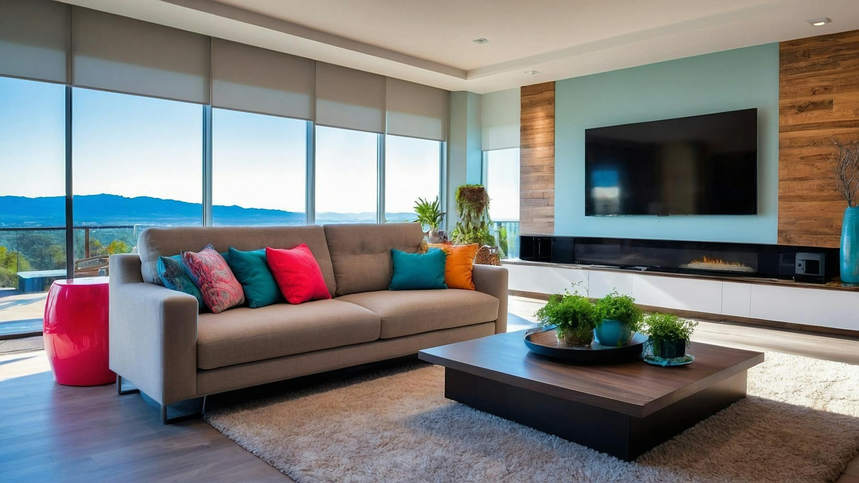
Choosing the right TV size involves more than buying the biggest screen your budget allows. A 55-inch television might be ideal for one living room, while an 85-inch model could make more sense in a larger space.
The key is to consider how far away you sit, how much of your field of vision you want the screen to occupy, and what you watch most often. Measuring your viewing distance before shopping can help you avoid buying a television that feels too small or overwhelms your room.
The Rule of Thumb for TV Size and Viewing Distance
A simple way to estimate your ideal TV size is to measure your viewing distance in inches and divide it by 1.6.
For example, if you sit 8 feet from your television, your viewing distance is 96 inches. Divide 96 by 1.6, and you get 60 inches. That makes a 55-inch or 65-inch TV a sensible starting point for comparison.
This calculation is based on an approximate 30-degree viewing angle, which is a useful starting point for general television watching. If you prefer a more cinematic experience, you could consider a larger screen or sit closer to the television.
The RTINGS TV size-to-distance guide explains how screen size, viewing distance, and viewing angle relate to one another.
Remember that this is a guideline, not a strict rule. Room layout, eyesight, content quality, comfort, and budget all influence the final choice.
TV Viewing Distance Cheat Sheet
Use this quick reference to compare common TV sizes before shopping. The general viewing distances correspond to an approximate 30-degree viewing angle, while the more cinematic distances correspond to approximately 40 degrees.
| TV screen size | General viewing distance | More cinematic distance |
|---|---|---|
| 43 inches | 5.8 feet | 4.3 feet |
| 50 inches | 6.8 feet | 5.0 feet |
| 55 inches | 7.5 feet | 5.5 feet |
| 65 inches | 8.9 feet | 6.5 feet |
| 75 inches | 10.2 feet | 7.5 feet |
| 85 inches | 11.6 feet | 8.5 feet |
These distances are estimates rather than requirements. Sitting closer can make movies and games feel more immersive, while sitting farther away may feel more comfortable if you prefer a less dominant image.
For an initial size estimate, you can also use these simple calculations:
- General viewing: Viewing distance in inches ÷ 1.6 = approximate TV size.
- More cinematic viewing: Viewing distance in inches ÷ 1.2 = approximate TV size.
For example, if you sit 96 inches away, the general-viewing calculation suggests a screen around 60 inches, while the more cinematic calculation suggests around 80 inches. Compare the nearest available screen sizes and consider how each would feel in your room.
Measure Your Room Before Buying
The most useful measurement is the distance from your usual eye position to the TV screen, not simply the distance between the sofa and the wall.
Sit in your normal viewing spot and measure the distance to where the television will be installed. If several people regularly watch together, consider their seating positions as well.
A tape measure on Amazon.com can help you get an accurate measurement. You can also use painter’s tape on Amazon.com to mark the approximate screen dimensions on your wall. This makes it easier to visualize the size before spending money.
Keep in mind that a TV’s advertised size refers to its diagonal screen measurement, not its width. A 65-inch television will be considerably narrower than 65 inches across. Check the manufacturer’s listed width, height, depth, and stand dimensions to make sure the TV will fit your furniture or wall.
What TV Size Works Best for Your Viewing Distance?
If You Sit About 5 to 6 Feet Away
A 43-inch or 50-inch television can be a sensible starting point for general viewing. If you enjoy movies or gaming and prefer a larger image, a 55-inch model may also be worth comparing.
At this distance, a larger screen can occupy more of your field of vision. Some viewers enjoy that immersive feeling, while others prefer a smaller image for everyday programs.
Browse 43-inch TVs and 50-inch TVs on Amazon.com to compare available sizes, features, and prices.
If You Sit About 7 to 9 Feet Away
A 55-inch or 65-inch television is worth considering at this distance. A 55-inch screen may suit mixed viewing, while a 65-inch model can provide a more immersive experience.
Your preferred content also matters. Sports, television shows, movies, and video games can feel different depending on screen size and seating distance. Think about what you watch most often rather than basing your decision entirely on how a television looks in a store.
Compare 55-inch TVs on Amazon.com with 65-inch TVs on Amazon.com before deciding which size suits your room.
If You Sit About 10 to 12 Feet Away
A 75-inch or 85-inch television may be worth considering if you want a large image from across the room. A smaller model can still work well if you prefer a less dominant screen or need to keep costs down.
Check the actual dimensions before ordering. A large television may fit the wall but leave limited room for a console, speakers, shelving, or nearby furniture.
Browse 75-inch TVs and 85-inch TVs on Amazon.com to compare screen sizes, specifications, and current listings.
Does 4K Resolution Let You Sit Closer?
A 4K television has more pixels than a Full HD television, which can help preserve fine detail when you sit closer to the screen. However, resolution alone does not determine the ideal viewing distance.
Picture processing, source quality, eyesight, and personal preference all affect what you see. A low-quality or heavily compressed stream may still look soft on a 4K display, while high-quality 4K content can look detailed at a closer distance.
Sony’s TV viewing-distance guidance explains how viewing distance can vary with resolution and viewing conditions.
Treat minimum viewing distances as guidelines rather than absolute rules. Start with a comfortable viewing angle and then account for resolution, content quality, and your own preferences.
Your Viewing Habits Matter
Two people sitting the same distance from a television can prefer different screen sizes.
Someone who watches movies in a dark room may prefer a large display for a cinematic experience. Someone who mainly watches news, daytime programs, and general streaming content may prefer a more moderate size. Gamers may also want to consider how easily they can see interface elements without excessive eye or head movement.
If several people watch together, check whether the television remains comfortable to view from the seats at either end of the sofa. Viewing angles can be particularly important when the TV is positioned in a corner or viewed from different parts of the room.
Choose based on how you actually use your television, rather than simply copying the size you saw in a showroom.
Check TV Height and Furniture Placement
Screen size and seating distance are only two parts of a comfortable setup. The television also needs to fit your wall, stand, speakers, and furniture without making the room feel crowded.
Consider the height of your sofa and your usual eye level. Mounting a television too high can force you to look upward for extended periods, which may become uncomfortable.
If you plan to mount the TV on a wall, mark the screen’s approximate dimensions and position before drilling. A full-motion TV wall mount on Amazon.com may provide additional positioning flexibility, but check its supported screen size, weight capacity, and mounting requirements against your exact television.
Do not choose a larger television just because it fits your budget or your wall. The screen should work with the room rather than overpower it.
How to Compare TV Value Before Buying
A larger screen does not automatically offer better value. Two televisions of the same size can differ significantly in picture quality, features, connectivity, and overall ownership costs.
Before comparing listings, look at the following factors.
1. Compare the price of similar screen sizes. Compare televisions of the same size and, where possible, similar specifications. A lower price may be attractive, but it matters whether the display and features meet your needs.
2. Check the display technology. OLED and LED-based televisions have different strengths. OLED can deliver deep blacks, while Mini LED models may appeal to buyers who prioritize high brightness. The right option depends on your room, content, and budget.
3. Focus on features you will actually use. Consider HDR support, refresh rate, HDMI connectivity, gaming capabilities, operating system, and app availability. Avoid paying extra for features that will make little difference to how you watch TV.
4. Verify the exact model and screen size. Online listings may include several sizes or model variants on one page. Features can differ by screen size and model year, so read the specifications for the exact television you intend to purchase.
5. Consider the total cost. Check delivery charges, installation requirements, wall-mount costs, warranty coverage, and return conditions where applicable. The listed price is not always the full cost of setting up a television.
6. Look for independent reviews. Product descriptions alone may not reveal how a television handles reflections, motion, dark scenes, or off-angle viewing. Reviews that test the exact model can help you understand its strengths and limitations.
A simple comparison table can help you keep the options organized:
| What to compare | Why it matters |
|---|---|
| Screen size and price | Shows how much extra you pay for a larger display |
| Picture quality | Helps determine whether the screen suits your content |
| Brightness and reflections | Important for rooms with daylight or strong lighting |
| Gaming and connectivity | Helps avoid paying for unnecessary features or missing required ports |
| Warranty and return terms | Clarifies your options if the TV has problems or does not suit your room |
| Overall cost | Includes installation and accessories where needed |
The best value is not necessarily the cheapest television or the largest screen. It is the model that provides the picture quality, size, and features you need at a price you are comfortable paying.
A Simple Test Before You Buy
You can narrow down your options without visiting several stores.
First, measure the distance from your usual viewing position to the TV. Divide that distance in inches by 1.6 to estimate a general-purpose screen size. Then compare the nearest available sizes above and below your result.
Next, use painter’s tape to outline the approximate width and height of each option on your wall. Sit in your normal viewing position and think about how the screen will feel during a full movie or a longer gaming session.
Finally, compare the exact model’s dimensions, features, connectivity, warranty, and total cost. If you shop through Amazon.com, check the model number and screen size carefully because listings can contain multiple variants.
This process helps you choose a TV that fits your room and viewing habits instead of automatically buying the biggest model your budget allows.
Final Thoughts
Choosing a television starts with measuring the distance between your usual seating position and the screen. Dividing that distance in inches by 1.6 gives you a useful starting point for general viewing, while a closer position or larger screen may create a more cinematic experience.
A 55-inch television might be right for one room, while a 65-inch or 75-inch model may suit another. Comfort, room layout, content quality, and personal preference all matter.
Before buying, measure your room, use painter’s tape to visualize the screen size, and compare the value of the televisions that fit your space. By looking beyond screen size and price alone, you can find a television that suits your viewing habits without overspending on features or dimensions you do not need.
Tighten the repeated size guidanceClarify the calculation and table relationship
Amazon Affiliate Disclosure: As an Amazon Associate, I earn from qualifying purchases. If you click on an Amazon.com link in this article, I may earn a commission at no additional cost to you.