You don’t need lots of followers or a big budget to get real relationships going with your customers. Sometimes a simple email can be the best way to stay in touch.
If they go onto your site and like your products but don’t purchase, you may not hear from them again. Using a permission-based approach, you can turn that into a lasting relationship.
You can use your email to provide helpful information, introduce new products, special offers and remind your customers why they should remember your brand.
Getting your email marketing right can take some thought. It’s important to really know your audience, make sure you’re getting permission to use their email address, provide relevant content and ensure you’re not bombarding them.
For a small brand, you’ll want to start with something simple.
This guide will show you everything you need to know about email marketing, the best tools to use and how to start a strategy without getting too complicated.
Why Email Marketing Is Important for Small Brands
While social media can help people find your business, you don’t have control over the social media platforms, algorithms or visibility of your posts.
With email marketing, you can get in touch with people who have chosen to listen to your brand.
Benefits include:
- Direct Communication: Provide updates to your customers without using social media.
- Relationship Building: Stay in contact with your current customers and those interested in your brand.
- Introduce Products: Introduce new products, ranges and services.
- Repeat Customers: Get your previous customers thinking about your products and offers.
- Insight: Know what topics and messages are generating interest through your campaign.
- Build a Long-Term Audience: Build a list of people who have given permission to receive your emails.
While email marketing won’t guarantee you any sales, if you’re providing relevant content to your customers, and you have good quality customers with useful offers, it can work well.
The key is to treat it as an opportunity to build relationships.
1. Know Who You Want to Target

Before choosing an email marketing platform, think about who is most likely to be interested in your brand.
As a small business selling handmade home décor, your communication will be very different to a company selling business software.
Knowing your audience will help decide:
- What topics you will talk about.
- Which products you’ll introduce.
- The tone of your emails.
- How often you’ll communicate.
- Any offers you’ll provide.
For example:
| Type of Brand | Potential Content |
|---|---|
| Handmade Home Décor | Style Tips, New Ranges and Care Tips. |
| Skincare Brand | Product Tips, Routines and Ingredients. |
| Clothing Brand | New Arrivals, Outfit Inspiration and Seasonal Ranges. |
| Online Education Business | Resources, Tutorials and Courses. |
| Small Consulting Business | Industry Insights, Helpful Tips and Updates. |
You don’t need to do any in-depth research into your customers.
Ask yourself:
- Who is most likely to buy your products/services?
- What issues or interests are they looking for?
- What information would they want to hear from you again?
This will help to give your content direction.
2. Get an Email Marketing Platform
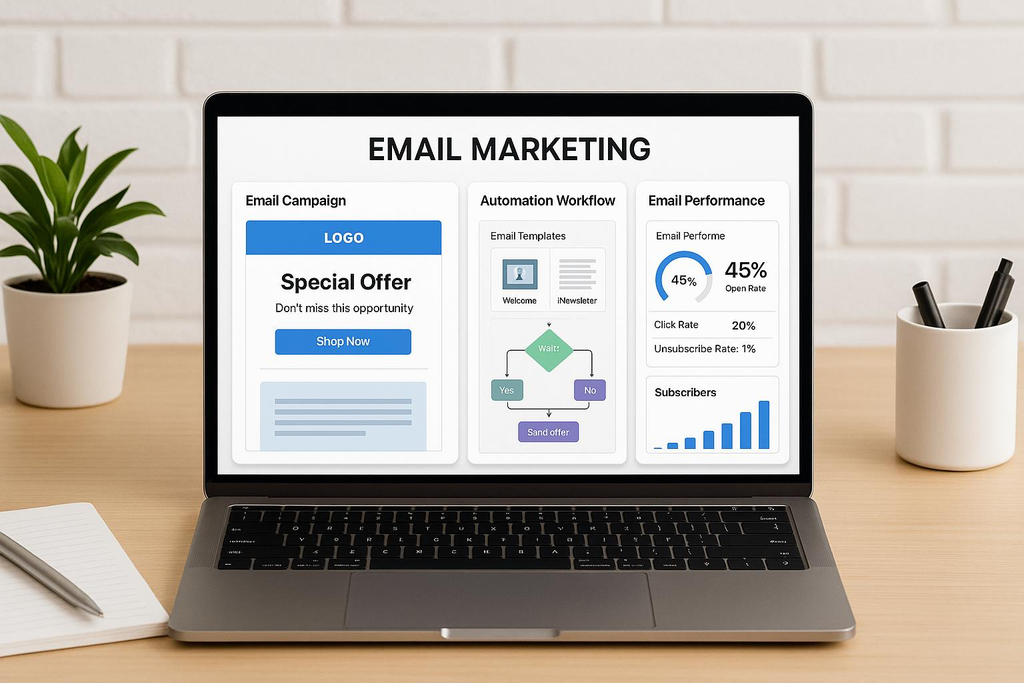
An email marketing platform will help you build your list, create your campaigns, manage your contacts and automate your communications.
Rather than having to send your marketing emails one-by-one, you can manage everything in one place.
There are a number of great options to consider:
Mailchimp
Mailchimp provides tools to create your campaigns, manage your contacts, create sign-up forms and automate your marketing.
Ideal for small brands looking to start with newsletters and build more complex campaigns over time.
Features:
- Create Email Campaigns.
- Manage Contacts.
- Create Sign-Up Forms.
- Campaign Reports.
- Automate Marketing.
- Integration with supported apps.
Pros: The platform provides a tried and tested interface with a number of marketing features.
Cons: The price and features will depend on the package you choose. As your contact list increases, the costs can get quite expensive. Check what the limits are for your current subscription.
Best For: A simple email marketing platform for small brands.
Brevo
Provides email campaigns, contact management, automation and extra communication features.
Can be helpful for small businesses looking to manage multiple customer communications in one place.
Features:
- Create Email Campaigns.
- Segment Contacts.
- Automate Emails.
- Reports/Analytics.
- Extra Communication Features (Depending on Package).
Pros: Provides multiple ways to communicate with your customers. Offers various pricing options.
Cons: Some advanced features are dependent on your package. Can take some time to get to grips with the interface if using multiple marketing features.
Best For: Small Businesses looking to use email marketing and extra customer communication features.
MailerLite
Offers a simple email marketing platform with newsletters, sign-up forms, landing pages and automation.
Can be a great option for independent creators and small brands who don’t want anything too complex.
Features:
- Create Newsletters.
- Sign-Up Forms & Landing Pages.
- Email Automation.
- Segment Contacts.
- Campaign Reports.
Pros: Simple to manage your email communications.
Cons: Advanced features and contact limits will depend on your subscription.
Best For: Bloggers, Independent Creators & Small Brands who want to focus on newsletters and simple automation.
Which Platform Should You Choose?
| Platform | Best Feature | Best For |
|---|---|---|
| Mailchimp | General Marketing Features | Small Businesses Starting Email Campaigns. |
| Brevo | Multiple Customer Communications | Brands With Multiple Communication Channels. |
| MailerLite | Newsletters & Simple Automation | Creators & Smaller Brands. |
Don’t just look at the free version of the platform. Look at how many contacts you can have, how many emails you can send each month, automation features, integration and upgrade costs.
Check out the current details for the plans on the official site before signing up.
3. Build Your List Without Irritating Potential Customers
Having a list of contacts is one of the most valuable parts of your email marketing strategy.
However, it’s important to make sure you’re targeting the right people. You want people who are genuinely interested in hearing from your business.
There are a number of ways to get people to sign up:
Website Sign-Up Form
Place a simple sign-up form on your website.
Some good places to put this include:
- Homepage.
- Footer.
- Blog Posts.
- Product Pages (Where Appropriate).
- Dedicated Newsletter Page.
Keep it simple, ask for their email address and maybe their first name.
Tell them what they’ll receive and how often they’ll receive it.
For example:
“Sign up to our newsletter to receive helpful organisation tips, new products and exclusive offers.”
Offer Something Useful
Some brands offer something useful to encourage sign-ups.
Examples include:
- Checklist.
- Beginners Guide.
- Useful Template.
- Short Educational Series.
- Discount On First Purchase (Where Appropriate).
For example, if you’re a small brand selling office accessories you could offer a free checklist to help organise their home office.
Ensure it’s relevant to your business. If it’s not related then you may attract people who aren’t really interested in your products/services.
Use Permission-Based Sign-Ups
Don’t add people to your marketing list just because they’ve purchased from you, contacted you or are on a public directory.
Tell people what they’re signing up for and ensure you’re getting permission where needed. Keep track of where they signed up from and whether they gave permission.
In the US, there are rules around sending commercial emails. The CAN-SPAM Act means you must have accurate sender details, honest subject lines, a valid postal address and an easy way to unsubscribe. Other countries may have stricter rules around getting permission.
The FTC have created an in-depth guide.
4. Create a Great Welcome Email
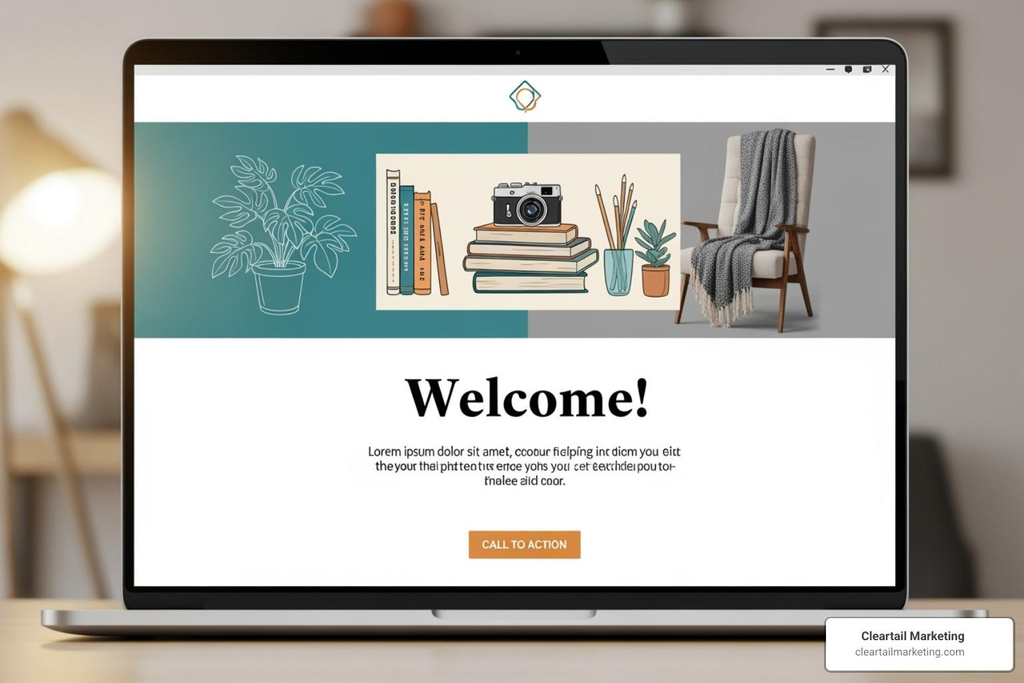
Once someone signs up to your newsletter, they’ll receive a welcome email.
Keep it friendly, clear and helpful.
You don’t need to write a long sales pitch.
Your email could include:
- Thank you for signing up.
- A short introduction to your brand.
- What they’ll receive.
- Something useful or an introductory offer (If Promised).
- A link to your website/product.
For example, if they sign up to a small handmade home décor brand, your email may include:
An introduction to your brand, how your products are made and some handy tips.
This will give them a reason to stay interested.
Consider Creating a Short Welcome Series
Instead of just one email, consider creating a few emails over a few days.
| When To Send | Purpose | |
|---|---|---|
| Welcome | Straight Away | Introduction to your brand. |
| Useful Information | 2-3 Days Later | Provide helpful tips. |
| Product Introduction | 4-5 Days Later | Introduce relevant products/services. |
| Brand Story | 7 Days Later | Get them familiar and build trust. |
These are just examples and you can adjust depending on your audience and what you told them during sign-up.
5. Provide Useful Content
One of the biggest mistakes small brands make is over-promoting.
If every email includes a discount code, product promotion or sales message, your customers may lose interest.
Instead, try to balance your promotional content with useful content. Here are some ideas:
Educational Content
Provide useful information to help them solve an issue or learn something.
Examples include:
- Home Décor Tips.
- Skincare Routines.
- Productivity Tips.
- Product Care Instructions.
- Industry Updates.
Product Content
Introduce your products in a natural way. Tell them about the features, purpose and benefits.
For example, a clothing brand could tell them how to style a new range.
Behind The Scenes Content
Give your customers a peek behind the scenes.
Examples include:
- How your product is created.
- How orders are packed.
- About your brand.
- How you choose your materials.
- Lessons learnt.
Customer Content
Help your customers get the most out of their purchase.
For example, a small kitchenware brand could provide care instructions, ideas and simple recipes.
Announcements
Inform them of any important updates.
Examples include:
- New Products.
- Upcoming Events.
- Seasonal Ranges.
- Restocked Products.
- Limited Time Offers.
Ensure everything is relevant. Every email should have a reason for being sent.
6. Write Catchy Subject Lines
Your subject line is often the first thing your customers will see.
If your subject line is unclear, generic or too salesy then they may miss your useful content.
Write a subject line that shows them what value they’ll gain from opening your email.
For example:
| Poor Subject Line | Better Subject Line |
|---|---|
| Big News! | Meet Our New Spring Range. |
| Important Update | 3 Changes To Our Delivery Process. |
| Don’t Miss Out | 5 Ways To Organise Your Small Space. |
| Amazing Offer! | Save On Selected Home Office Accessories. |
| Newsletter #12 | Simple Ways To Make Your Mornings Easier. |
Top Tips For Writing Subject Lines
- Keep it simple.
- Be natural.
- Don’t over promise.
- Be relevant.
- Don’t overuse capitals and punctuation.
- Only personalise if it feels natural.
- Try experimenting with different subject lines.
Some email platforms will allow you to A/B test your subject lines.
Keep in mind that open rates may not always be the best indicator of engagement. Privacy features and email clients can impact this.
7. Segment Your Customers

Not everyone will be interested in the same products or information.
Someone who has recently purchased from your store may need different communication to someone who has just found your brand.
By segmenting your customers, you can place them into relevant groups.
You can segment by:
- Where they signed up from.
- What products they’re interested in.
- Purchases.
- Interactions.
- Location (Where Appropriate & Collected).
- Preferences.
Example Of A Simple Segmentation Strategy
If you run a small online store selling home and office accessories, you could segment your customers into:
| Customer Group | Relevant Content |
|---|---|
| New Customers | Welcome & Introductory Content. |
| Existing Customers | Product Care Tips & Relevant New Products. |
| Interested Customers | Educational Content & Product Comparisons. |
| Loyal Customers | Recommended Products & Loyalty Updates. |
| Inactive Customers | Thoughtful Re-engagement Campaign. |
This makes it easier to provide useful content. Platforms like Mailchimp & Brevo will allow you to filter and segment your contacts.
8. Automate Your Emails
Automation can make email marketing easier for small brands with limited time.
Rather than creating all your emails manually, you can set up workflows to send the right messages at the right time.
Some useful automation ideas include:
4 Useful Automations
Welcome Automation
Automatically welcome them to your brand.
Abandoned Cart
Remind eligible customers about items they added to their basket.
Post Purchase
Provide them with relevant product information or support.
Re-engagement
Reach out to customers who haven’t engaged with your emails.
Not all small brands will need all 4 automations straight away. Start with a welcome email and add extra automations if they’re solving a real issue for your business.
Ensure you’re respecting your customers preferences and any marketing rules. Abandoned cart and promotional emails shouldn’t be assumed to be exempt.
9. Ensure Your Emails Go Through
Once you’ve created amazing content, you also need to make sure your emails are going through.
Email deliverability is the ability for your emails to go through to people’s inboxes.
There are a number of things to consider:
Professional From Address
Where possible, use an email address related to your domain.
For example:
- hello@examplebrand.com
- newsletter@examplebrand.com
- updates@examplebrand.com
Having a recognisable sender name will help your customers know who is contacting them.
Email Authentication
Authentication helps the recipient’s mail service confirm that the email is authorised to come from your domain.
There are 3 key technologies to use:
SPF: Tells recipient mail services which servers are authorised to send emails from your domain.
DKIM: Digital signature to help confirm the email is authorised to come from the domain.
DMARC: Instructions for handling emails that don’t pass authentication. Helps prevent people pretending to be your domain.
Google require emails to be authenticated if they’re being sent to personal Gmail accounts. If you’re reaching 5000+ Gmail recipients a day then there are further requirements. They require SPF, DKIM & DMARC and one-click unsubscribe for marketing emails.
Your email marketing provider will usually provide instructions on how to set up the correct DNS.
If you’re not confident with editing DNS information, ask your domain provider or a qualified technical professional to help.
Keep Your List Healthy
- Remove/suppress any addresses that are constantly bouncing.
- Respect unsubscribe requests.
- Don’t buy any email lists.
- Don’t email people who aren’t showing any interest.
- Send relevant emails to the right customers.
- Keep track of any spam complaints.
Often it’s more useful to have a smaller list of people who are genuinely interested in your brand.
10. Track Your Results
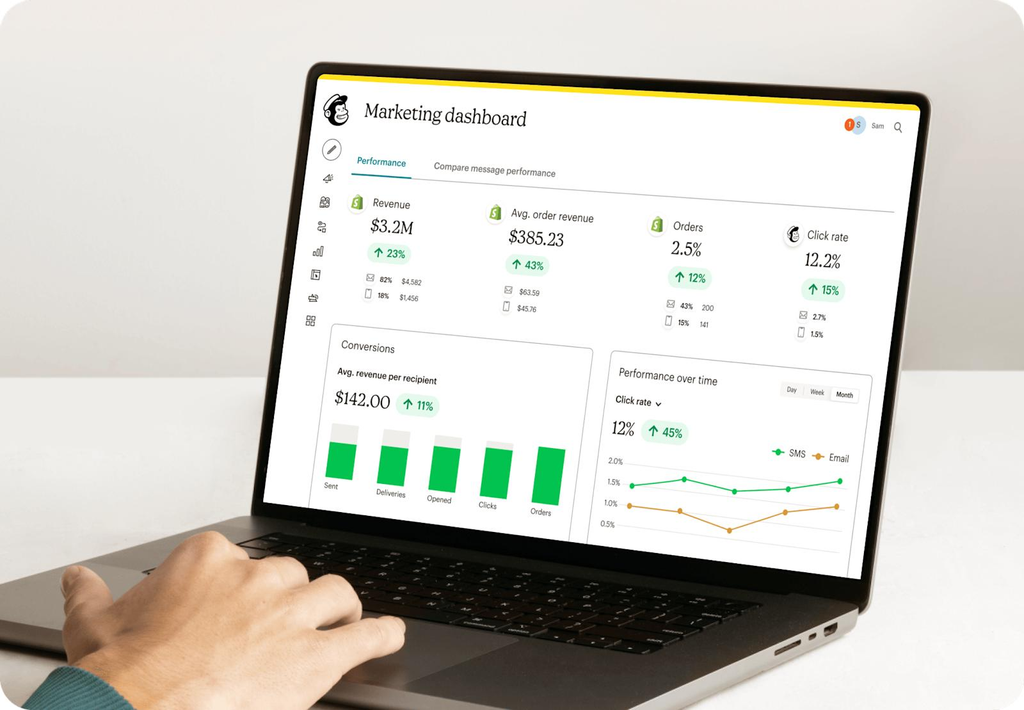
Understanding how your customers are engaging with your emails will make your email marketing more useful. Most email marketing platforms will provide you with reports around your campaign.
When starting out don’t worry about tracking too many metrics. Focus on:
| Metric | What It Tells You |
|---|---|
| Delivery Rate | Percentage of emails that were accepted by the recipient’s server. |
| Bounce Rate | How many emails bounced. |
| Click Through Rate | How many links were clicked on from the delivered emails. |
| Conversion Rate | How many recipients completed an action. |
| Unsubscribe Rate | How many people unsubscribed. |
| Spam Complaint Rate | How often people complained the email was spam. |
| Revenue Per Campaign (Where Accurate Tracking Available) | How much revenue was generated from the campaign. |
Don’t rely on open rates. These can be impacted by privacy features, images not loading and automated emails.
Often it’s more useful to look at clicks, conversions, responses and actual results.
Mailchimp also provides engagement data so businesses can identify more or less active customers. Use the information to learn from each campaign.
Ask yourself:
- Was the content relevant?
- Did they click on the main link?
- Did they ask any questions or make any purchases?
- Were there any unusual bounce or unsubscribe rates?
- What could have been improved?
Use this information to make gradual improvements.
11. Decide How Often You Want To Email
One of the most common questions asked by beginners is how often they should be emailing their newsletters.
There isn’t one answer that will work for all businesses.
A small brand with regular product updates may be emailing more regularly than a consulting business with occasional industry insights.
The key is to decide on a realistic schedule and let your customers know what to expect.
For example:
| Frequency | Idea |
|---|---|
| Weekly | Provide helpful tips, new content or product updates. |
| Bi-Weekly | Provide educational content and occasional promotions. |
| Monthly | Provide brand news, announcements & useful content. |
| On Occasion | Product Launches & Important Business Updates. |
It’s better to send one useful newsletter every 2 weeks than multiple in one week and then nothing for months.
If your business is new start with something that you can realistically stick to.
You can increase/decrease the frequency depending on how engaged your customers are.
12. Know The Rules
As email marketing involves customer information and commercial communication, you should include compliance in your strategy from the start.
If you’re targeting customers in the United States, it’s important to know about the CAN-SPAM Act.
According to the FTC guidelines, commercial emails must include:
- Accurate sender and routing information.
- Honest subject lines.
- Clearly marked as commercial where required.
- Valid postal address.
- Easy unsubscribe.
- Process opt-outs within 10 business days.
Even if you’re using an external email marketing provider to send your campaigns, you’re still responsible for ensuring you’re compliant.
Other Tips
- Don’t purchase or harvest lists.
- Be transparent about what people are signing up to.
- Have a database on what they have agreed to and what they prefer.
- Easy opt-out process.
- Protect their data.
- Look into any privacy or marketing laws that apply to the countries you are targeting.
In the UK and EU there are specific privacy and electronic marketing laws that require different types of consent compared to the CAN-SPAM act in the USA. There is specific guidance from the UK Information Commissioner’s Office.
If you sell products internationally, you should not assume your marketing will be compliant in all markets.
A 30 Day Simple Email Marketing Plan for Small Brands
You don’t need to be too complicated to get started.
This 4 week plan will help you set up your email marketing.
First 30 Days of Email Marketing
Week 1 – Setup
- Choose an email marketing platform.
- Set up your business email.
- Set up domain verification.
- Create a sign-up form.
- Write a short blurb for your newsletter.
Week 2 – Building Your List
- Add sign-up forms to your website.
- Create something to incentivise sign-ups.
- Ask interested customers to sign-up.
- Create clear preferences for your subscribers.
- Write your first welcome email.
Week 3 – Create Your First Newsletter
- Pick a subject.
- Write a helpful and engaging message.
- Include one clear CTA.
- Ensure your links are working and your email is mobile friendly.
- Send your newsletter to your subscribers.
Week 4 – Review Improvements
- Review how your campaign has gone.
- Check to see if people clicked through and converted.
- Check how many people opted out or complained.
- See what content your subscribers engaged with.
- Plan your next few newsletters.
By the end of the month you’ll have a basic setup for your email marketing which will allow you to improve as your list grows.
FAQs
What is email marketing for small businesses?
An online marketing strategy which enables businesses to communicate with their subscribers.
Small brands use it to send newsletters, product updates, informative content, promotions and updates.
How do I get started with email marketing if I have no experience?
Start with some simple steps.
- Know your target audience.
- Pick an email marketing platform.
- Create a sign-up form on your website.
- Ask interested visitors to sign up.
- Write a welcome email.
- Send regular helpful newsletters.
- Review your campaign.
Start with a small list and improve your strategy as you go.
What is the best email marketing platform for beginners?
There are a few great ones to look into.
Mailchimp provides general marketing tools. Brevo provides email marketing but also other tools to communicate with your customers. MailerLite focuses on newsletters, forms and automation.
Look into the current pricing, number of contacts and features available.
How often should I send newsletters?
Many small brands start sending weekly or monthly newsletters.
How often you send will depend on how much helpful information you have to share. It’s best to ensure you’re not sending unnecessary emails.
What are some ways to increase my email list?
- Add sign-up forms to your website.
- Provide helpful downloadable content.
- Create helpful blog content.
- Ask customers to sign-up.
- Share sign-up links on your socials.
- Give subscribers incentives.
Try to attract people that are genuinely interested.
What should I include in my first marketing email?
Introduce your brand, thank them for signing up and tell them what to expect. Provide them with something helpful.
You could also include a link to your website, an introduction guide or a relevant product range.
Is email marketing costly?
Not necessarily.
Some platforms will have a free tier with limited features or sends. However as your list grows you may need to pay for a subscription. Other costs may include domain names, design tools and professional email services.
What is email automation?
Automated emails are sent based on certain triggers.
For example, you can send a welcome email when someone signs up. Or remind them of eligible items they’ve left in their basket.
Automation saves you time and keeps your communication consistent.
What is the difference between an email newsletter and a promotional email?
Newsletters are usually used to provide helpful information, updates or informative content.
Promotional emails are used to encourage people to take action. Such as buying a product, signing up for an event or using an offer.
You can include promotional content in a newsletter.
Is email marketing still effective for small brands?
Email can be a helpful way to communicate with your customers.
However, it will depend on how targeted your audience is, quality of your content, what your subscribers expect, how deliverable your emails are and how valuable your products/services are.
It should be seen as just one part of your overall marketing strategy.
Final Thoughts
Using email marketing will give you the opportunity to develop relationships with your audience.
You don’t need a large list, expensive software or complicated automation.
Start with knowing your audience, picking the right platform, having a clear sign-up process and providing real value.
As your business grows you can add segmentation, automated welcome emails and more detailed campaign tracking.
Most importantly respect your subscribers time and preferences. Every email should give them a reason to stay interested.
A small engaged audience will be far better than a large list of people who aren’t interested.