The best smartphone camera is not necessarily the one with the highest megapixel count or the longest zoom range. It is the one that delivers when you have only a second to capture a moment.
Consider everyday photography: a friend sitting near a restaurant window, a plate of food at brunch, a dog running across the yard, or a family photo taken in the living room. These are the situations where differences in exposure, color, focus, and image processing become apparent.
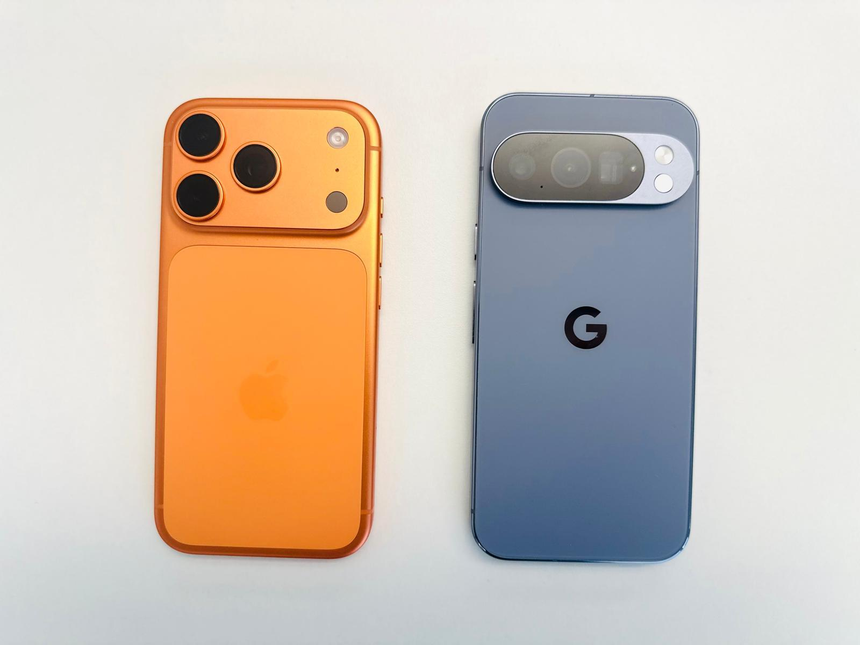
Google Pixel and Apple iPhone take different approaches to smartphone photography, and both can deliver excellent results. Pixel emphasizes computational photography and automatic editing tools, while iPhone combines image processing with an extensive set of photo and video features.
This comparison focuses on the Google Pixel 10 and Apple iPhone 17 rather than the entire product ranges. Their camera hardware and software differ from those of older generations and Pro models, so the findings should not automatically be applied to every Pixel or iPhone.
Quick Answer: Pixel vs. iPhone Camera
For everyday still photography, I would lean toward the Pixel if I wanted attractive images with minimal editing. The iPhone is also a strong choice for people who regularly switch between photography, video recording, and social media.
This is a practical recommendation, not a definitive conclusion based on laboratory testing. Neither manufacturer publishes an objective score for the everyday situations discussed below.
| Everyday situation | Recommendation | Why |
|---|---|---|
| Quick photos of friends and family | Pixel is worth considering | Computational tools can help with faces and challenging shots |
| Food and everyday objects | Close comparison | Lighting, color, and processing matter more than megapixels alone |
| Indoor scenes near windows | Test both | Highlight and shadow handling can affect the result |
| Children and pets in motion | Compare actual photos | Focus and shutter timing are critical |
| Wide-angle photos | Depends on the scene | Lens coverage, edge detail, and color consistency matter |
| Video and mixed photo-video use | iPhone is a strong option | It offers extensive video recording features |
| Editing photos after capture | Pixel has useful tools | Magic Eraser and Best Take support specific editing tasks |
These recommendations reflect the phones’ documented capabilities and practical photography considerations rather than controlled side-by-side test results.
What Are We Comparing? Google Pixel 10 vs. Apple iPhone 17
Google Pixel 10
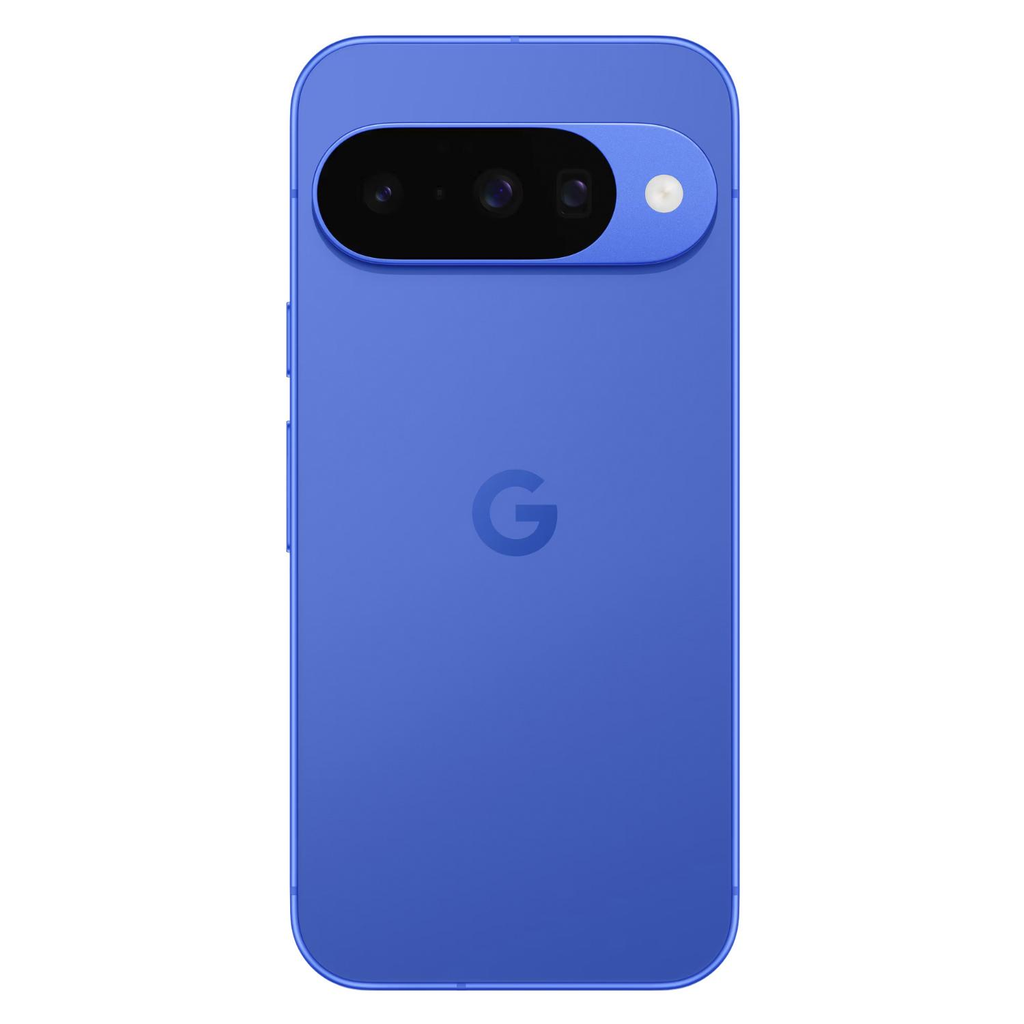
Google’s Pixel 10 has three rear cameras: a 48MP wide camera, a 13MP ultrawide camera, and a 10.8MP telephoto camera with 5x optical zoom.
Additional photography features include Night Sight, Real Tone, Face Unblur, and Best Take.
Official specifications: Google Pixel 10
Apple iPhone 17
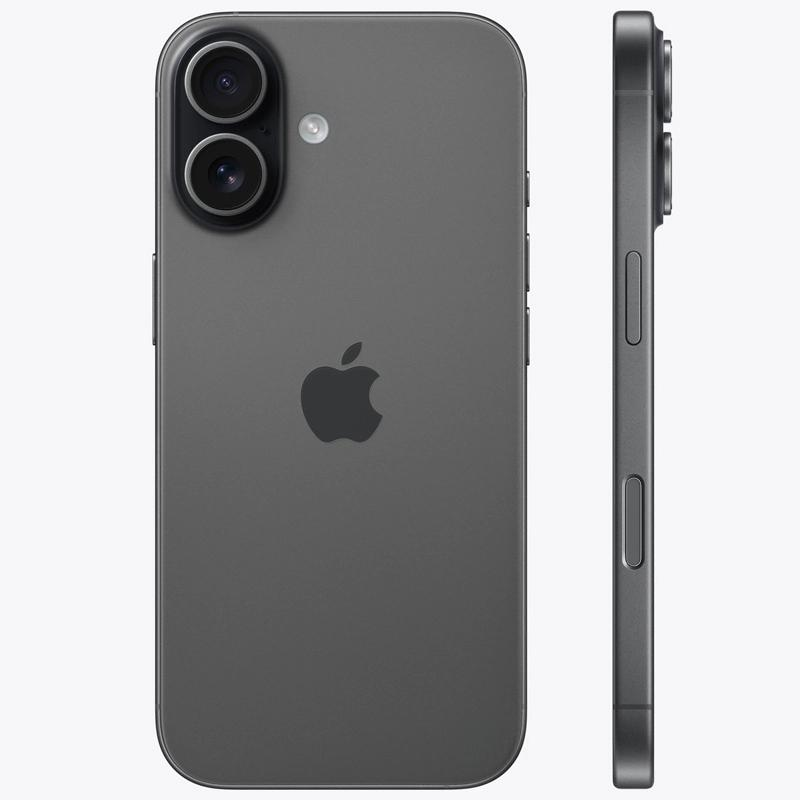
Apple’s iPhone 17 has a 48MP main camera and a 48MP ultrawide camera. The main camera also supports an optical-quality 2x option.
Its photography features include Smart HDR 5, Night mode, and Photographic Styles.
Official specifications: Apple iPhone 17
A 48MP camera is not automatically better than a 13MP camera. Megapixels describe image resolution, but lens quality, sensor characteristics, exposure, focus, and image processing also influence the final photograph.
The Pixel 10 has a dedicated telephoto camera, while the iPhone 17 uses its main camera for its optical-quality 2x option. This difference matters when photographing distant subjects, but it may be less important for everyday pictures taken at normal distances.
1. Capturing People: Where Pixel Can Make a Difference

Photos of people are a useful way to evaluate a smartphone camera. Even when an image is sharp and properly exposed, skin tones, facial details, shadows, and background separation can affect how pleasing it looks.
Where Pixel makes a difference
Google’s Real Tone feature is designed to improve the representation of different skin tones. Face Unblur can help address certain types of facial motion, while Best Take can combine suitable facial expressions from a series of group photos.
These features are useful when photographing family members or friends who cannot hold a pose for long.
However, computational photography has limitations. A severely blurred or out-of-focus face cannot always be recovered, and automated corrections may not suit everyone’s preferences.
Where iPhone makes a difference
The iPhone 17 supports portraits with Focus and Depth Control, Portrait Lighting effects, and Apple’s image-processing features. Its front camera includes autofocus and an 18MP Center Stage system.
These tools provide several ways to capture and adjust portraits, although results still depend on lighting, distance, and background separation.
Which phone should you choose?
For family photos, group shots, and quick portraits, Pixel is a reasonable starting choice if you value its face-focused computational tools. The iPhone is worth considering if you prefer its portrait rendering or already use Apple’s photo and video workflow.
Neither phone produces universally better skin tones. If portraits are your main priority, compare actual photographs of people with different skin tones rather than relying exclusively on manufacturer sample images.
2. Food, Pets, and Everyday Objects

Everyday objects are often photographed under mixed lighting. A restaurant, for example, might have warm ceiling lights and cool daylight entering through its windows. At home, colored walls can reflect light onto a subject.
These conditions reveal differences in automatic white balance and image processing.
Food photography
Three factors are especially important when photographing food:
- Color: Do tomatoes look naturally red without excessive saturation?
- Texture: Can you see details in bread, herbs, and toasted surfaces?
- Highlights: Do bright plates and reflective sauces retain useful detail?
Both Pixel and iPhone have capable main cameras and automatic processing. Neither has a universal advantage because lighting and exposure can significantly change the result.
A simple technique is to tap the food on the screen to focus and adjust exposure if the plate looks too bright. Moving closer to a window can also improve the image more than extensive editing.
Pets and spontaneous photography
Pets introduce another challenge because their behavior is difficult to predict. Pixel’s Face Unblur and other computational tools can help in supported situations, while the iPhone’s autofocus and image processing also support everyday pet photography.
With either phone, taking a short burst of photos increases your chances of capturing a sharp eye, a good expression, and a useful pose.
Fine fur detail matters less if the subject is blurred or caught in an awkward position.
My recommendation
Do not choose between Pixel and iPhone solely on their ability to photograph food and pets. Lighting, focus, and framing are important for both. Compare sample photographs of subjects you regularly capture to determine which phone produces colors and details you prefer.
3. Indoor Light and Window Light

Indoor photography is different from night photography because a room can appear bright to your eyes while providing relatively little light for a small camera sensor.
Windows create another challenge: the outdoor scene may be much brighter than the interior, forcing the camera to balance the two.
What to look for in Pixel
Pixel’s computational photography tools can help balance difficult scenes and improve the appearance of shadows and colors. Night Sight is useful in low-light conditions, but it cannot reliably freeze a moving subject simply because the mode is enabled.
When photographing someone in front of a window, check whether the face remains visible without turning the window into a featureless bright area.
What to look for in iPhone
The iPhone 17 includes Smart HDR 5, Night mode, and sensor-shift optical image stabilization on its main camera.
Stabilization helps reduce blur caused by hand movement, but it cannot eliminate motion blur from a moving person. Exposure time and subject movement still matter.
How to compare them
To compare indoor and window-light photography fairly:
- Position the subject beside a window rather than directly in front of it.
- Keep both phones at approximately the same distance.
- Use the default Photo mode without filters.
- Compare faces, window highlights, shadows, and fine details.
- View both images on the same screen at the same brightness.
For everyday indoor scenes, neither phone should be declared the winner without testing the actual devices. Pixel’s computational tools are appealing, while the iPhone’s combination of stabilization and HDR processing is also worth considering.
4. Color: Natural, Warm, or More Dramatic?

Color is one of the most noticeable differences between smartphone cameras, but it is also subjective.
One phone might produce warmer images while another favors cooler colors. A phone may brighten shadows to reveal detail, while another preserves darker areas for a more dramatic appearance. Neither approach is automatically correct.
Skin tones and mixed lighting
Skin tones can look different under daylight, fluorescent lighting, and warm indoor bulbs. Google’s Real Tone feature addresses representation across skin tones, while Apple’s Smart HDR 5 and Photographic Styles provide image-processing and adjustment options.
The useful question is not which brand produces the most natural colors in every situation. It is which phone produces the appearance you prefer across different lighting conditions.
How to judge color accurately
When comparing sample photos, look for:
- White objects that retain a believable white balance.
- Skin tones that look consistent with the lighting.
- Green plants and blue skies that are not excessively saturated.
- Shadow details that remain visible without making the image look flat.
- Consistent colors between the main and ultrawide cameras.
Display settings, editing apps, and social media compression can all change how an image looks after capture.
My recommendation
Color preference is personal. Pixel may appeal to people who like its automatic processing, but examine actual photographs rather than assuming that every Pixel image will look more natural than every iPhone image.
5. Capturing Moving Subjects
A photo of a stationary coffee cup and a photo of a running dog require different camera capabilities.
When a subject moves, the camera must focus accurately and capture the image quickly enough to limit motion blur. Image stabilization primarily addresses camera movement; it does not eliminate movement by the subject.
Pixel’s Face Unblur can help with certain imperfect shots. The iPhone’s autofocus and image processing also support everyday capture. Neither phone guarantees a sharp result in poor lighting.
Children, pets, and sports
For moving subjects, try these techniques:
- Photograph in brighter light whenever possible.
- Start taking pictures before the subject reaches the ideal position.
- Use burst capture when the moment is unpredictable.
- Avoid digital zoom when you can safely move closer.
- Review the original image at full size instead of judging only the thumbnail.
If this type of photography is important to you, give it significant weight when choosing a phone. A device that produces excellent photographs of stationary objects may not capture a child’s expression during a fast-moving game.
My recommendation
Compare moving-subject photographs in the conditions you encounter most often. A phone that performs well in bright daylight may produce a different result indoors, so consider both lighting and subject movement before deciding.
6. Zoom and Wide-Angle Photography

The standard Pixel 10 and iPhone 17 have meaningful differences in their camera hardware.
| Feature | Google Pixel 10 | Apple iPhone 17 |
|---|---|---|
| Main camera | 48MP wide | 48MP Fusion Main |
| Ultrawide camera | 13MP | 48MP Fusion Ultra Wide |
| Dedicated telephoto | 10.8MP with 5x optical zoom | No dedicated 5x telephoto camera |
| Main-camera 2x option | Computational processing | Optical-quality 2x |
| Maximum advertised extended zoom | Super Zoom up to 20x | Digital zoom up to 10x |
Source: Manufacturer specifications.
Zoom specifications are not directly interchangeable. Digital and computational zoom do not provide the same image quality as optical magnification from a dedicated telephoto camera.
When Pixel’s 5x telephoto camera is useful
The Pixel 10’s dedicated 5x telephoto camera is useful for photographing distant subjects such as buildings, signs, or details across a park. It offers tighter framing without requiring you to move closer.
However, a dedicated telephoto lens is not necessarily the best choice for nearby subjects or situations where a wider field of view is needed.
When iPhone’s 2x option is useful
The iPhone 17’s optical-quality 2x option is useful for tighter framing without moving too close to a subject. It can work well for portraits, architecture, and everyday objects.
The iPhone’s 48MP ultrawide camera also provides flexibility for architecture, group photographs, and indoor spaces where stepping backward is difficult. Pixel has an ultrawide camera too, although the hardware specifications differ.
My recommendation
If you regularly photograph distant subjects, the Pixel’s 5x optical telephoto camera is a meaningful advantage. If you mainly photograph people, food, and nearby landscapes, the difference may be less important.
7. Video and Social Media

Still photography and video place different demands on a camera. Autofocus, exposure, stabilization, audio, and color consistency all influence the final result.
iPhone 17
The iPhone 17 supports 4K Dolby Vision recording at up to 60 frames per second on its rear camera. It also offers Cinematic mode, Action mode, and other video features. Its front camera supports 4K Dolby Vision recording at up to 60 frames per second.
Pixel 10
The Pixel 10 supports rear-camera 4K recording at up to 60 frames per second. Its video tools include Audio Magic Eraser and Cinematic Blur.
These specifications describe supported capabilities, not a guarantee that one phone produces better footage in every situation.
Which phone is better for creators?
The iPhone is a strong starting choice if you regularly film short videos, record family events, or switch between photos and video. Its extensive video features make it worth testing before purchasing.
Pixel is also a capable option, particularly if you value its still-photography tools and want a phone that handles casual video as well.
Social media considerations
Social platforms may process uploaded content differently depending on the app, device, and upload settings.
If Instagram, TikTok, or YouTube is central to your routine, record a short test clip using your usual workflow. Compare the uploaded result rather than relying only on how the footage looks in the camera app.
My recommendation
Consider your overall use case instead of choosing a phone based on video specifications alone. The iPhone is worth considering for frequent video creation, while Pixel remains a capable choice for people who prioritize photography and occasional video.
8. Pixel vs. iPhone: Pros and Cons

Google Pixel 10
Pros
- Dedicated 5x optical telephoto camera.
- Real Tone and Face Unblur features.
- Best Take and other built-in editing tools.
- Useful computational photography options.
Cons
- The 5x telephoto camera may be unnecessary for everyday close-range photographs.
- Computational edits may not suit every preference.
- Results still depend on lighting, focus, and subject movement.
Apple iPhone 17
Pros
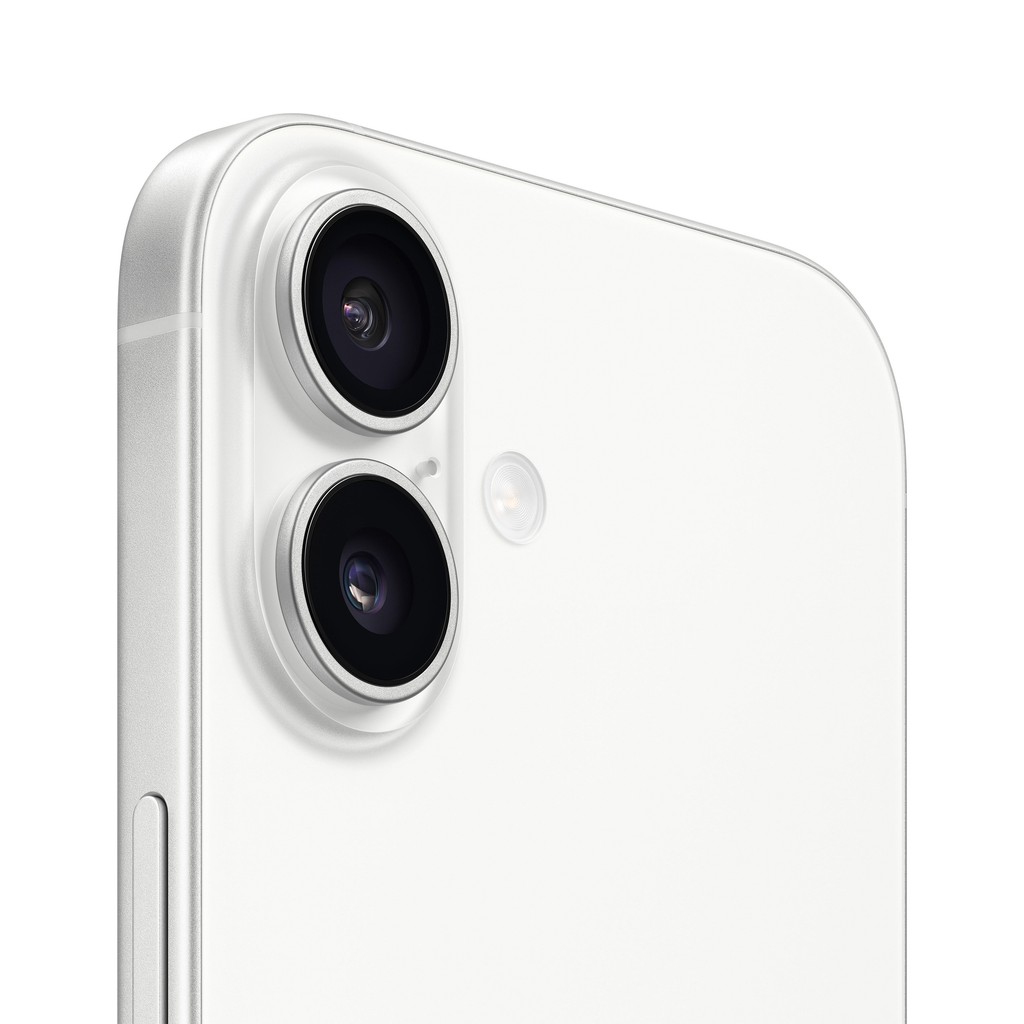
- 48MP main and ultrawide cameras.
- Optical-quality 2x option from the main camera.
- Extensive video recording features.
- Portrait controls and established Apple photo workflows.
Cons
- No dedicated 5x optical telephoto camera on the standard model.
- Its image rendering may not match everyone’s color preferences.
- Advanced camera features vary across iPhone models.
These advantages and limitations apply to the standard Pixel 10 and iPhone 17. The Pixel 10 Pro and iPhone Pro models have different camera hardware and should be evaluated separately.
9. Who Should Buy Which Phone?
The right choice depends on how you use your camera rather than which brand wins a single test.

Choose Pixel if you mainly take photos of people
Pixel’s Real Tone, Face Unblur, and Best Take features are useful reasons to consider it if family photographs, group shots, and quick portraits make up much of your camera roll.

Choose iPhone if video is equally important
The iPhone 17’s video features make it a strong option for people who frequently record clips as well as still photographs.

Choose Pixel if you often photograph distant subjects
The dedicated 5x optical telephoto camera gives the Pixel 10 a clear hardware advantage for this type of shot.

Consider your existing ecosystem, too
If your family, work tools, photo library, and accessories are already organized around Apple or Android, the convenience of staying with that platform may outweigh small differences in camera output.
10. How to Compare Pixel and iPhone Before Buying
Manufacturer specifications are useful, but testing the phones in your usual photography conditions can provide more practical answers.
If possible, borrow the phones or try them in a store. Use similar subjects, lighting, and framing.
Practical camera-testing checklist
- Take a portrait beside a window.
- Photograph a meal under warm restaurant lighting.
- Capture a moving person or pet.
- Take a wide-angle photo of a building or room.
- Photograph a distant object using the available zoom.
- Record a short video while walking.
- Compare skin tones, fine details, and contrast on the same screen.
- Check how quickly each phone opens the camera and captures a shot.
Pay attention to the photographs you would actually keep. A slightly more detailed image may not be preferable if you consistently dislike its colors or processing.
Should you buy a camera accessory instead?
For many casual photographers, a new phone is not the first thing to buy if the real problem is poor lighting, shaky video, or uncomfortable handling.
A small phone tripod can help with stationary portraits, group shots, and hands-free recording. A simple grip can make a phone easier to hold while filming. These accessories do not improve the camera sensor itself, but they can help you capture more consistent images.
If you already own a recent Pixel or iPhone, compare its actual performance with the newer models before spending money on an upgrade. The difference may be less important than you expect.
For readers considering photography accessories, a compact phone tripod is a relevant option because it directly supports common photography tasks. Before purchasing, verify the product listing and make sure the tripod or phone holder is compatible with your device.
Frequently Asked Questions
Is a Google Pixel camera better than an iPhone camera?
Neither camera is universally better. The Pixel 10 has useful computational photography features and a dedicated 5x optical telephoto camera. The iPhone 17 offers a capable main and ultrawide camera system and extensive video features. The better choice depends on the specific models and your photography needs.
Which phone takes more natural-looking photos?
That depends on the scene and your preferences. Skin tones, exposure, and color can vary with lighting and image processing. Compare photographs of real people and familiar objects rather than relying exclusively on manufacturer samples.
Is Pixel better for portraits?
Pixel offers Real Tone, Face Unblur, and Best Take, which can be useful for portraits and group photographs. However, portrait quality also depends on lighting, focus, lens choice, and subject movement. The iPhone 17 offers portrait effects and depth controls as well.
Is iPhone better for video?
The iPhone 17 is a strong option for people who prioritize video, thanks to its 4K Dolby Vision recording and additional video modes. Pixel 10 also supports 4K recording at up to 60 frames per second. Testing both in your usual recording conditions is more useful than relying on specifications alone.
Does a higher megapixel count mean better pictures?
Not necessarily. Megapixels determine potential image resolution, but overall quality also depends on the sensor, lens, exposure, focus, and processing.
Which phone is better for low-light photography?
Both phones offer features designed to improve low-light photography. Pixel includes Night Sight, while iPhone 17 includes Night mode. Performance varies with subject movement, available light, and the camera being used, so neither should be considered the universal winner without testing.
Should I upgrade my phone for a better camera?
Upgrade if the new camera addresses a real limitation. If your current phone takes photographs you like, the benefits may be modest for everyday scenes. Consider whether you need better zoom, improved moving-subject capture, more video options, or specific editing tools before replacing your device.
Which phone is better for Instagram and TikTok?
Both phones can capture photos and videos suitable for social media. Results may vary with the app, upload processing, and recording settings. If social content is your main use case, test the apps and workflow you actually use.
Final Verdict: Pixel or iPhone?
For everyday still photography, I would start with the Google Pixel 10 if I wanted useful automatic photo corrections, people-focused tools, and a dedicated telephoto camera. Its feature set makes it appealing to casual photographers who want to capture a moment without spending much time editing afterward.
The Apple iPhone 17 is my alternative recommendation for people who regularly combine photography with video. Its 48MP main and ultrawide cameras, optical-quality 2x option, and extensive video capabilities make it a versatile everyday camera.
Neither recommendation is a universal win. Color preferences, moving subjects, lighting, and the exact phone model can change the outcome.
The best way to decide is to compare photographs of people, food, and indoor scenes that resemble your own camera roll. A phone that consistently produces images you like—and captures them when the moment happens—is the better camera for you.
Amazon Affiliate Disclosure
As an Amazon Associate I earn from qualifying purchases.