Internal vs. External Storage: What’s the Difference?
The main difference is that internal storage is built into your phone, while external storage uses a separate device or memory card to store additional files.
Internal storage holds your apps, operating system, photos, videos, downloads, and other data. External storage can help you move or keep files outside the phone’s built-in memory, but it does not always let you install apps or expand the phone’s usable internal capacity.
Key differences at a glance
| Feature | Internal storage | External storage |
|---|---|---|
| Location | Built into the phone | Separate card, USB drive, or SSD |
| Main use | Apps, system files, photos, downloads | Backups, file transfers, extra media storage |
| Expandability | Usually fixed | Can be expanded or replaced |
| Portability | Stays with the phone | Can often move between compatible devices |
| App installation | Standard location for apps | Depends on device and storage configuration |
| Convenience | Always available | May need a connector or card slot |
Android’s storage options vary by device, and iPhones can access compatible external drives through the Files app.
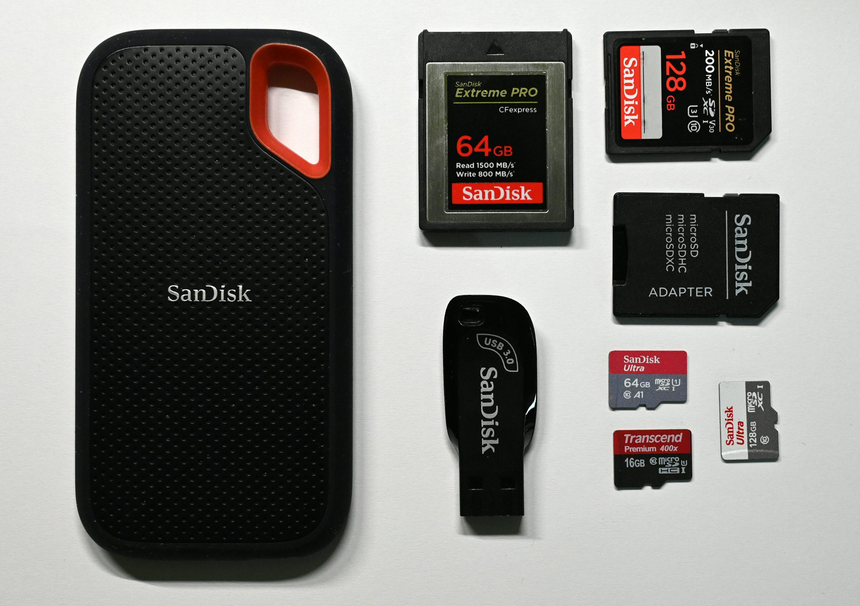
Examples of external storage products

USB-C flash drive
Useful for transferring photos, videos, and documents between compatible phones and computers.
Find USB-C flash drives on Amazon.com

MicroSD card
A compact option for compatible Android phones with a memory-card slot.
Find microSD cards on Amazon.com

Portable SSD
Suitable for larger photo libraries, video files, and backups, provided the phone supports the drive.
Find portable SSDs on Amazon.com
Which one should you choose?
- Choose more internal storage if you install many apps, play large games, record lots of videos, or want everything accessible without connecting another device.
- Consider external storage if you mainly need extra room for photos, videos, documents, or backups.
- Check compatibility first: not every phone supports microSD cards, and external drives may require a compatible connector, format, or sufficient power.
Amazon Affiliate Disclosure: As an Amazon Associate, I earn from qualifying purchases. If you buy something after clicking an Amazon.com link in this article, I may earn a commission.