Understanding smartphone specifications can make shopping easier. Whether you’re looking to buy an Android phone or find out what your iPhone has to offer, it’s important to know what to look for in a phone’s spec sheet. RAM, processor, refresh rate, megapixels, battery capacity, and storage can all seem like daunting terms, but understanding what they represent makes it easier to evaluate a phone’s capabilities.
Knowing which specifications deserve your attention and which numbers are primarily marketing highlights is essential to finding the right phone. A higher megapixel count doesn’t automatically mean a better camera, and a larger battery doesn’t always guarantee longer battery life.
This guide explains smartphone specifications in simple terms, helping you compare phone features, understand technical details, and make a more informed buying decision.
Buying a new smartphone often starts with one question: Which phone offers the best value for my money?
A search can reveal dozens of phones, all promoted with impressive specifications and technical jargon. One might boast a 200MP camera, another might advertise a powerful processor or a 120Hz display, while a third might highlight a large battery.
The real question is which phone offers the features you actually need. Some specifications make a noticeable difference between otherwise similar smartphones, while others matter mainly for specific use cases. Instead of memorizing technical terms, it’s more useful to understand a few key specifications and how they affect everyday performance.
Start With the Processor, but Don’t Stop There
The processor is one of the most important components of a smartphone because it helps determine how quickly the device handles tasks. Manufacturers often advertise processor names and benchmark scores, but those numbers can be difficult to interpret without additional context.
Rather than getting caught up in marketing claims, consider how well a processor is suited to your needs. Entry-level processors can handle messaging, web browsing, navigation, and video streaming. However, they may struggle with demanding games, video editing, or running multiple resource-intensive applications simultaneously.
A more powerful processor can make a noticeable difference for these activities. Performance also depends on software optimization, cooling, and other hardware components. Two phones with similar processors can deliver different experiences in everyday use.
Independent reviews that test app performance, gaming, heat management, and multitasking can provide a more realistic picture than specifications alone.
Understand RAM and Storage Separately
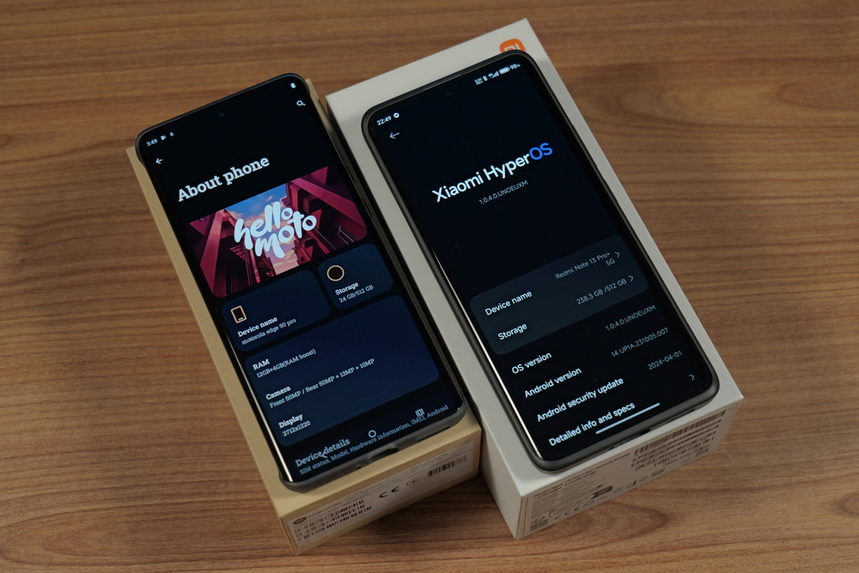
RAM and storage are often listed together on a smartphone specification sheet, but they serve different purposes.
RAM temporarily holds information that applications need while running. More RAM can help a phone keep applications available when switching between tasks, although the benefits depend on the operating system and memory management.
Storage is where applications, photographs, downloaded videos, documents, and other files are saved. If you take lots of photos, record videos, or download large games, storage capacity can become important quickly.
A phone with 8GB of RAM and 128GB of storage is different from one with 12GB of RAM and 256GB of storage. The second offers more memory for multitasking and more space for files, but whether the difference justifies the extra cost depends on your usage.
Some phones support expandable storage through a microSD card, while others rely entirely on built-in storage or cloud services. Before buying, check how much usable storage is available and whether you can expand it later.
If you frequently run out of space, consider a phone with more internal storage rather than assuming cloud storage will meet every need.
Display Size Is Only One Part of the Picture
Screen size is one of the easiest smartphone specifications to compare, but it doesn’t tell you everything about the viewing experience.
Resolution indicates how many pixels make up the display. Higher resolutions can produce sharper text and more detailed images, particularly on larger screens. However, the difference may be less noticeable during everyday activities such as messaging or browsing social media.
Refresh rate is another important specification, measured in hertz (Hz). A 60Hz display refreshes up to 60 times per second, while a 120Hz display can refresh up to 120 times per second. Higher refresh rates can make scrolling and supported animations look smoother, although battery consumption can vary depending on the device and settings.
Display technology also matters. OLED screens generally provide deep blacks and strong contrast, while LCD screens can offer good image quality at a more affordable price.
For outdoor use, maximum brightness and screen reflections may matter more than resolution. If you regularly read on your phone, consider text clarity, viewing comfort, and whether the screen can become sufficiently dim in a dark room.
Camera Specifications Can Be Misleading
Megapixel counts frequently appear in smartphone advertisements, but they don’t tell the whole story about camera quality.
Megapixels indicate image resolution, while other factors, including sensor size, lens quality, image processing, stabilization, and lighting, influence the final result.
For example, a phone with a 200MP main camera isn’t automatically better at taking photographs than a phone with a lower-resolution camera. The latter might produce more natural colors, sharper nighttime images, or more consistent results across different lighting conditions.
It’s also important to understand the different camera types. An ultrawide camera captures a broader field of view, making it useful for landscapes, group photos, and tight spaces. A telephoto camera helps photograph distant subjects without relying entirely on digital zoom.
Optical image stabilization can reduce blur caused by small movements, especially when taking photos in low light or recording video.
If photography matters to you, look at sample images taken outdoors, indoors, and at night. Video stabilization, microphone quality, autofocus, and front-camera performance are also worth considering.
The best camera system is the one that consistently produces the type of photos and videos you want, not necessarily the one with the highest megapixel count.
Battery Capacity Doesn’t Tell the Whole Story
Smartphone battery capacity is measured in milliamp-hours (mAh), but a larger number doesn’t automatically mean longer battery life.
Power consumption depends on several factors, including screen brightness, processor efficiency, mobile signal strength, software optimization, and the applications you use. A phone with a smaller battery can sometimes last longer than a competitor with a larger one.
Real-world battery tests are therefore more useful than capacity figures alone. Check whether a phone can comfortably last through your typical day, especially if you frequently use mobile data, navigation, video calls, or gaming applications.
Charging speed is a separate consideration. Some phones support fast wired charging, while others offer wireless charging or reverse wireless charging. Advertised charging speeds may require a compatible power adapter and cable, and charging usually slows as the battery approaches a full charge.
If you’re frequently traveling or spending long periods away from power outlets, battery endurance may be more valuable than a higher refresh rate or additional performance features.
Check the Software Update Policy
Software support is easy to overlook when comparing smartphones, but it can affect how useful a phone remains over several years.
Operating system updates can introduce features and improvements, while security updates help protect against vulnerabilities. A phone with excellent hardware may become less appealing if its manufacturer stops providing updates after a short period.
Before buying, research the manufacturer’s update commitment for the specific model. Check how many operating system upgrades and how many years of security updates are promised. Also confirm when the support period begins and whether the policy applies to the version sold in your region.
The software experience itself deserves attention. Some Android interfaces offer extensive customization, while others provide a simpler layout. Preinstalled applications, advertisements within system apps, and unwanted notifications can also affect everyday use.
The best software experience isn’t necessarily the one with the most features. It’s the one that suits your preferences and receives dependable ongoing support.
Don’t Ignore Connectivity and Compatibility
Connectivity specifications determine how well a phone works with mobile networks, wireless accessories, and other devices.
5G support can be useful in areas with compatible networks, but the presence of a 5G logo doesn’t guarantee identical speeds across all smartphones. Supported frequency bands, carrier compatibility, and local network coverage all influence performance.
Wi-Fi capabilities can affect wireless performance, particularly if you use a modern router. Bluetooth is important for connecting wireless headphones, speakers, smartwatches, and other accessories.
The charging port is another detail worth checking. USB-C is common on modern smartphones, but supported charging speeds and data-transfer capabilities can vary between models. Wireless charging is also not available on every phone, even when it has a glass back.
If you use wired earphones, external storage, or a particular car accessory, check compatibility before purchasing. You may need an adapter if the phone doesn’t offer the connection you currently use.
A few small details on the specification sheet can make a significant difference to how conveniently the phone fits into your existing setup.
Weight, Materials, and Durability Matter More Than You Think
A phone can have excellent specifications and still feel uncomfortable to use because of its size, weight, or design.
Dimensions and weight affect how easily a phone fits in your pocket, how comfortably you can hold it, and whether one-handed use is practical. Larger screens can be helpful for reading and video streaming, but they may make a phone harder to handle.
Build materials influence both appearance and durability. Glass backs can support wireless charging and provide a premium finish, while some plastic designs may be lighter and less prone to shattering. Metal frames can feel sturdy, but overall construction matters more than any single material.
An IP rating can help you understand a phone’s resistance to dust and water. For example, an IP68 rating indicates protection under specified testing conditions, but the exact conditions can vary by manufacturer. It doesn’t mean a phone is indestructible or guaranteed to survive every water-related accident.
Repairability is another important consideration. Look into replacement-part availability, screen-repair costs, and how easily the device can be serviced. If you intend to keep a phone for several years, durability and repair costs may matter more than a few additional features.
Understand What the Extra Features Actually Do
Smartphone specification sheets often include extra features that sound impressive but may not be equally useful to everyone.
An in-display fingerprint reader can make unlocking convenient, while face recognition provides another way to access the device. Stereo speakers can improve audio for videos and games, and haptic feedback can make typing and navigating the interface feel more responsive.
Some phones also offer an always-on display, satellite-related capabilities, desktop modes, or artificial intelligence features. Their availability and functionality can depend on the model, country, software version, and sometimes subscription requirements.
Instead of choosing a phone because it has the longest feature list, consider which extras would genuinely improve your routine. A reliable fingerprint reader might be more useful to one person than an always-on display, while good speakers might matter more to someone who frequently watches videos.
The value of an additional feature depends on how often you’ll use it and whether it works reliably.
Use a Simple Comparison Instead of Reading Every Number
When comparing two or three smartphones, it’s easier to focus on the specifications that matter most to you rather than trying to evaluate every technical detail.
Use the following checklist to narrow down your options:
| Specification | What to look for |
|---|---|
| Processor | Smooth performance for your apps and games |
| RAM | Enough capacity for your multitasking habits |
| Storage | Sufficient space for apps, photos, and videos |
| Display | Comfortable size, brightness, clarity, and refresh rate |
| Cameras | Consistent photos and videos in your preferred conditions |
| Battery | Reliable real-world endurance |
| Charging | Suitable wired or wireless charging options |
| Software support | A clear and dependable update commitment |
| Connectivity | Compatibility with your carrier and accessories |
| Build quality | Comfortable handling and appropriate durability |
| Price | A balance between useful features and affordability |
Price should be considered alongside these details. A more expensive phone might offer a better camera system, stronger performance, or longer software support, but those improvements may not justify the additional cost for every buyer.
It’s also worth reading independent reviews that test the exact model you’re considering. Memory configurations, supported network bands, charging accessories, and software commitments can differ between versions and regions.
Comparing price, practical performance, and long-term support gives you a clearer picture of a phone’s overall value.
Learn to Separate Marketing From Meaningful Improvements
A smartphone specification sheet is most useful when it answers practical questions. Will the phone run your favorite applications smoothly? Can it store your photographs and videos? Will its battery last through your usual day? Is the display comfortable to use outdoors? How long will the manufacturer continue supporting it?
These questions are more useful than simply chasing the highest number in every category.
If you mainly use your phone for messaging, web browsing, and video streaming, you may not need a flagship processor or an advanced zoom camera. If you regularly edit videos, play demanding games, or rely on your phone for work, stronger performance and specialized features may justify the extra expense.
Think about the limitations of your current phone, too. If it struggles when several applications are open, you might prioritize RAM and processor performance. If you regularly run out of space, more storage may be the better investment. If the battery doesn’t last through your day, prioritize real-world battery endurance.
The goal is to choose a balanced device rather than the smartphone with the most impressive advertising.
Final Thoughts
Reading a phone spec sheet becomes easier when you connect each number to a real-world benefit. Processor performance affects responsiveness, RAM supports multitasking, storage holds your files, and display specifications influence everyday comfort. Camera quality, battery endurance, software support, connectivity, and durability complete the picture.
Start by identifying your priorities, then compare a small number of phones against those needs. Use independent reviews to confirm claims that can’t be judged from specifications alone, and check the manufacturer’s current information before purchasing.
A good smartphone isn’t necessarily the one with the biggest numbers or the longest feature list. It’s the one that handles your daily tasks reliably, fits your budget, and continues to meet your needs over time.
Amazon Affiliate Disclosure: As an Amazon Associate, I earn from qualifying purchases. If you click on an Amazon.com link in this article and make a purchase, I may earn a commission at no additional cost to you.